
If you use public buses in Abu Dhabi, your Hafilat card is essential for daily travel. Whether you need a quick hafilat balance check before boarding or want to complete a secure hafilat recharge, knowing the correct methods saves time and prevents travel delays. Many residents search online for hafilat recharge, how to check hafilat card balance, or how to recharge hafilat card because they want clear, simple instructions. This complete guide explains everything step by step. From balance inquiry, hafilat options to recharge via DARB, card types, fees, expiry rules, and bus timing, you’ll find practical answers tailored specifically for Abu Dhabi commuters using the official bus transport system.
What is Hafilat in Abu Dhabi?
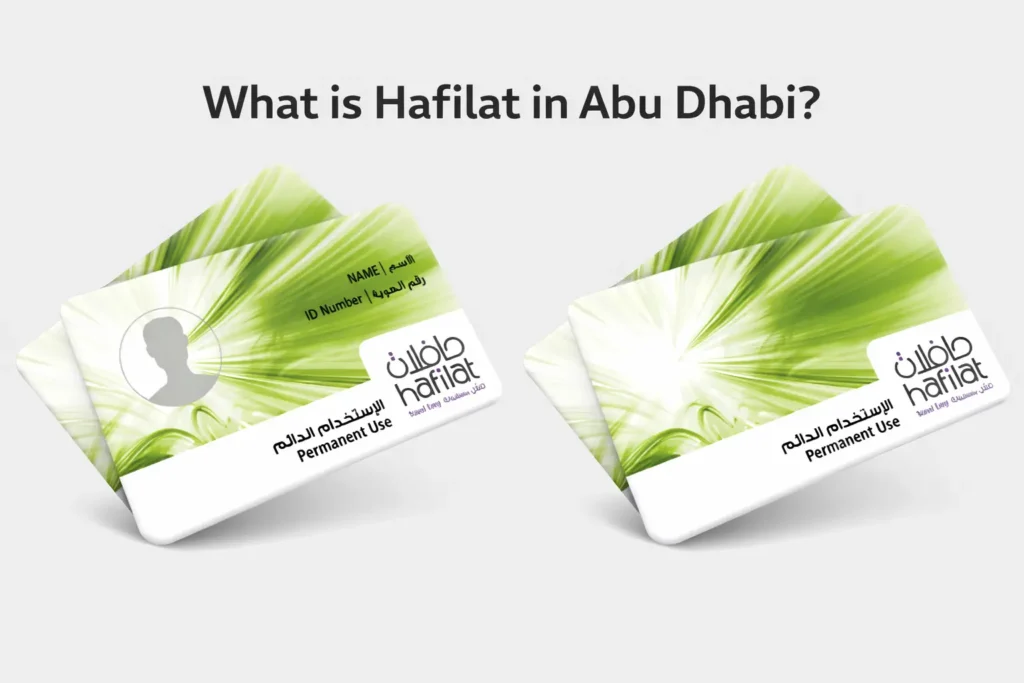
Hafilat is the official smart bus card used across Abu Dhabi, designed to make public transport simple and convenient just like nol card. Instead of paying with cash for each ride, passengers can use the Hafilat card to travel seamlessly across city and intercity buses.
The card works on multiple parts of Abu Dhabi’s transport network, including city buses within the capital, intercity buses connecting different regions, and many public bus routes across the emirate. With a single card, commuters no longer need to buy separate tickets for each journey, saving time and effort.
Hafilat is widely used by residents, workers, and tourists. Whether traveling to offices, universities, shopping centers, or industrial areas, passengers can rely on the card to access the full public transport system. Tapping the card when boarding and alighting ensures fast, contactless travel, while balance can be topped up online or at stations.
Overall, Hafilat acts as both a fare card and travel companion, simplifying commuting across Abu Dhabi’s growing public transport network.
Managed by Integrated Transport Centre
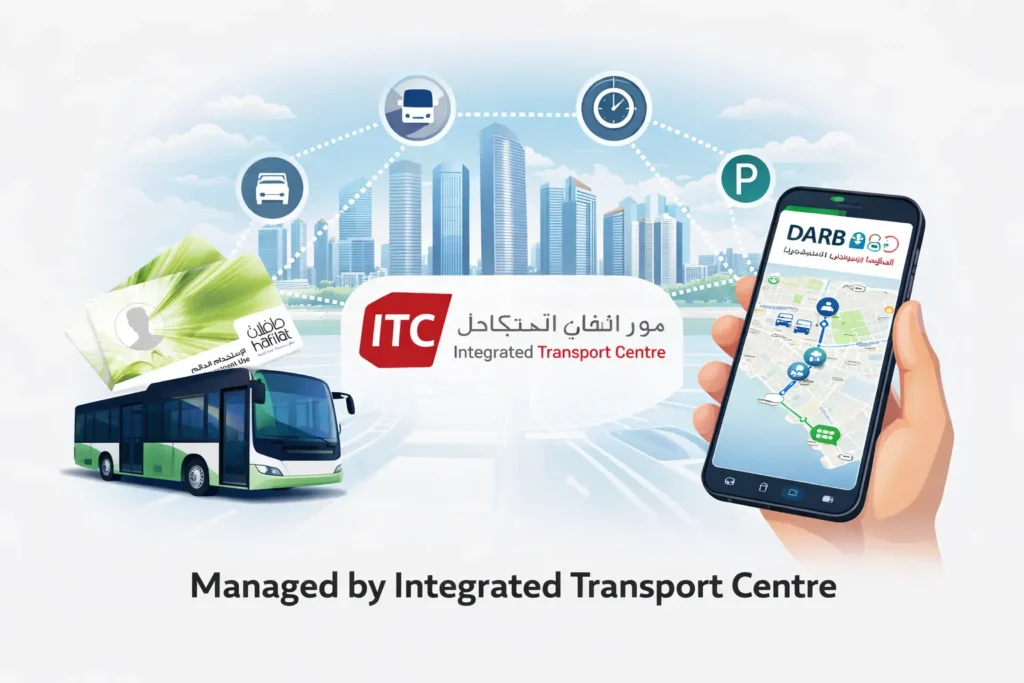
The Hafilat system is managed by the Integrated Transport Centre (ITC), a key authority responsible for overseeing all public transport operations in Abu Dhabi. ITC ensures that buses, parking, and other mobility services run efficiently, safely, and reliably across the emirate. By coordinating routes, schedules, and transport infrastructure, ITC plays a crucial role in keeping daily commuting smooth for residents, workers, and visitors.
Hafilat is closely integrated with the official DARB platform, allowing cardholders to manage their transport services digitally. Through DARB, users can check card balances, top up their Hafilat cards, plan journeys, and view bus schedules in one convenient location. This integration simplifies commuting, reduces the need for cash transactions, and ensures passengers have access to real-time travel information.
By combining smart card technology with a centralized transport management system, the ITC makes Abu Dhabi’s public transport system modern, reliable, and easy to use for everyone.
Operates Across Abu Dhabi, United Arab Emirates
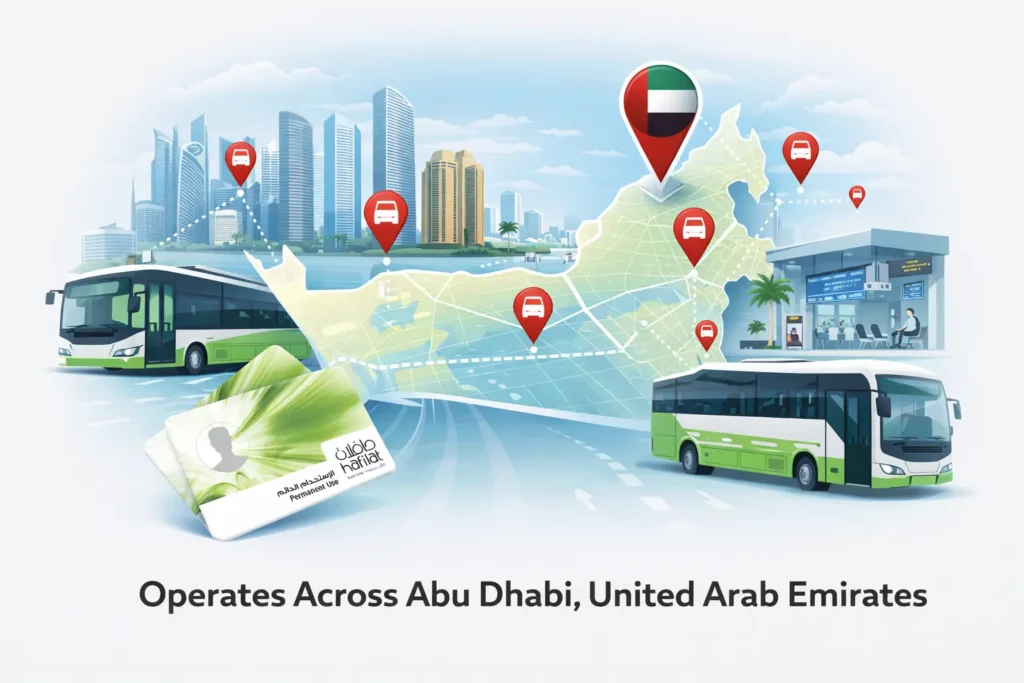
The Hafilat system operates across the full public transport network in Abu Dhabi. It is part of the government-managed transport infrastructure designed to make daily travel simple and efficient for residents, workers, and visitors in the United Arab Emirates.
The card works across multiple parts of the bus transport system, including:
- City bus Abu Dhabi routes that run within the capital
- Intercity bus Abu Dhabi services connecting different regions
- Bus stations in Abu Dhabi where passengers board long-distance routes
- Major transport hubs are used by commuters every day
Because the same card works across the entire network, passengers do not need different tickets for different routes. A single Hafilat card can be used on city buses, intercity buses from Abu Dhabi, and many public transport routes managed by the transport authority.
The system is designed to support the growing public transport network in the emirate. Buses run through residential districts, commercial areas, universities, shopping centers, and industrial zones. This makes Hafilat a reliable travel solution for thousands of daily commuters.
For many people living in Abu Dhabi, the Hafilat card is the main tool used to access the city’s bus transport system. Once the card has a sufficient balance, passengers can travel across the network without buying separate tickets for each journey.
Role in Abu Dhabi Public Transport System
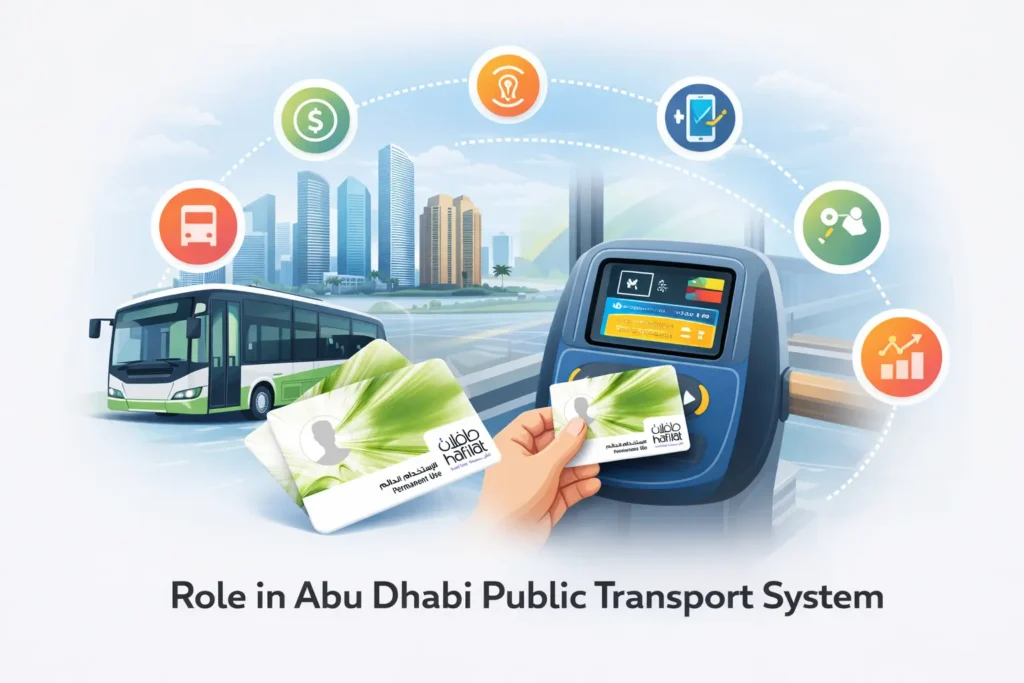
Hafilat plays a central role in Abu Dhabi’s public transport network. It is the standard payment method across the Abu Dhabi city bus network and intercity buses that connect different regions within the emirate.
Instead of paying cash on the bus, passengers use the Hafilat card as a smart travel tool. This makes boarding faster, reduces waiting time, and improves the overall travel experience.
The system supports:
- A structured bus fare payment system
- Contactless travel card technology
- Digital balance management
- Online recharge and account services
- Fare calculation based on travel distance
When a passenger boards the bus, they tap the card on the reader. When exiting, they tap again. The system calculates the exact distance traveled and deducts the correct amount automatically. This ensures fair pricing for every passenger.
Because Hafilat is integrated into the wider transport infrastructure of Abu Dhabi, it helps manage thousands of daily trips efficiently. It reduces manual handling of payments and supports data-driven transport planning.
In simple terms, Hafilat is not just a bus card. It is the foundation of how the Abu Dhabi public transport system operates on a daily basis.
Smart Contactless Bus Fare Payment System
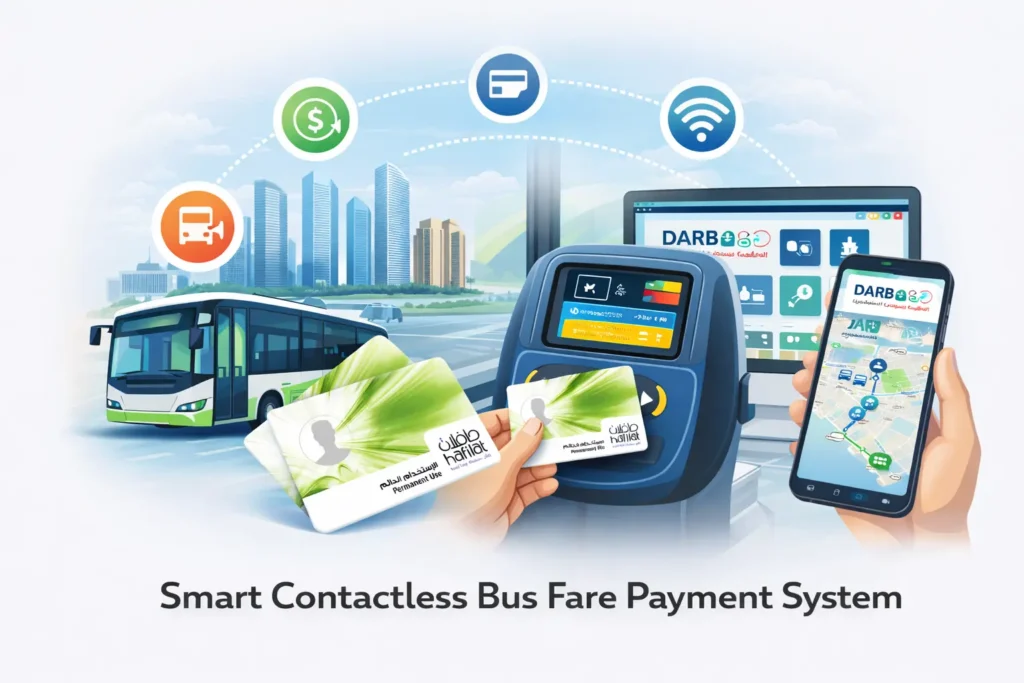
Hafilat is a smart, contactless bus fare card that allows passengers to travel across Abu Dhabi’s public transport network without handling cash. Simply tapping the card when boarding or alighting ensures fast, convenient, and hygienic travel. There’s no need for paper tickets or coins, making daily commuting smoother for residents, workers, and tourists alike.
The card is fully integrated with Abu Dhabi’s digital transport ecosystem. Users can track their Hafilat balance, recharge online, set up auto-top-ups, and view travel history through the official DARB portal or the smart mobility platform. This connection allows passengers to manage their transport services from anywhere, avoiding long queues at stations.
Hafilat works seamlessly with online transport portals, the official transport services website, and other integrated platforms. Whether checking your balance, recharging your card, or planning your journey, the system provides a reliable, centralized solution for modern commuting.
By combining contactless technology with digital management, Hafilat ensures Abu Dhabi’s public transport is fast, safe, and easy to use. Understanding how to check your Hafilat balance and recharge the card is essential for smooth daily travel.
How to Check Hafilat Card Balance (All Methods)
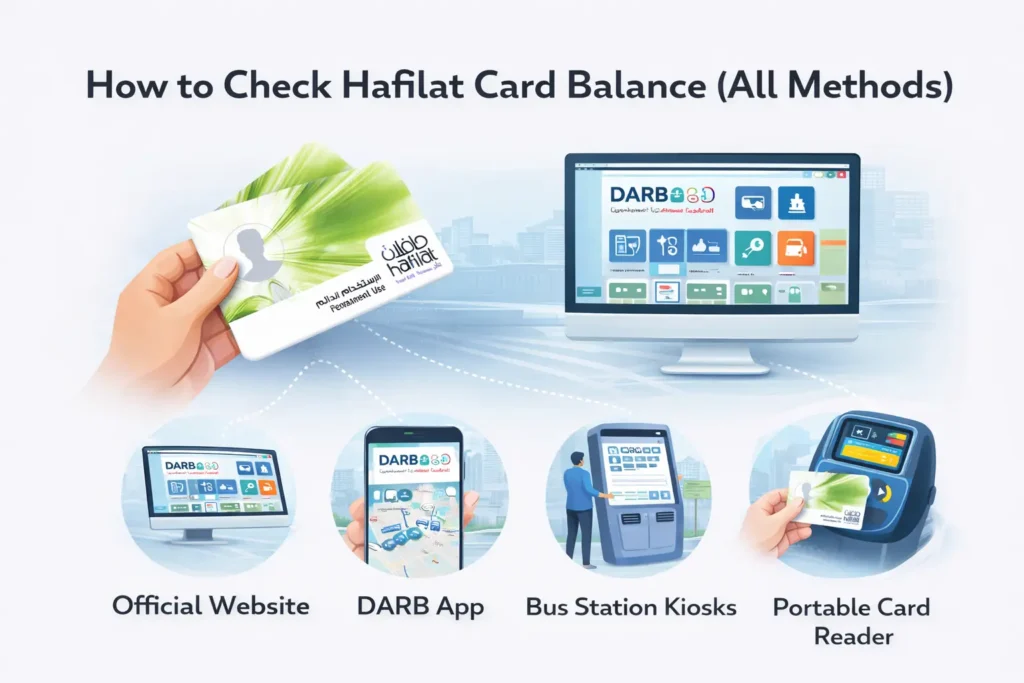
Before you travel on Abu Dhabi’s buses, it’s important to know how much credit is remaining on your Hafilat card. Ensuring your card has a sufficient balance helps you avoid inconvenience when boarding. Fortunately, checking your Hafilat balance is easy and can be done in multiple ways online, via mobile apps, or at bus stations. Whether you’re a daily commuter or a first-time visitor, knowing your card’s remaining credit ensures a smooth journey across the city’s bus network.
Checking your bus card credit remaining before travel prevents inconvenience. Abu Dhabi buses require a minimum credit before boarding.
Let’s explore every official balance inquiry hafilat method.
How to Check Hafilat Card Balance Online via DARB Portal
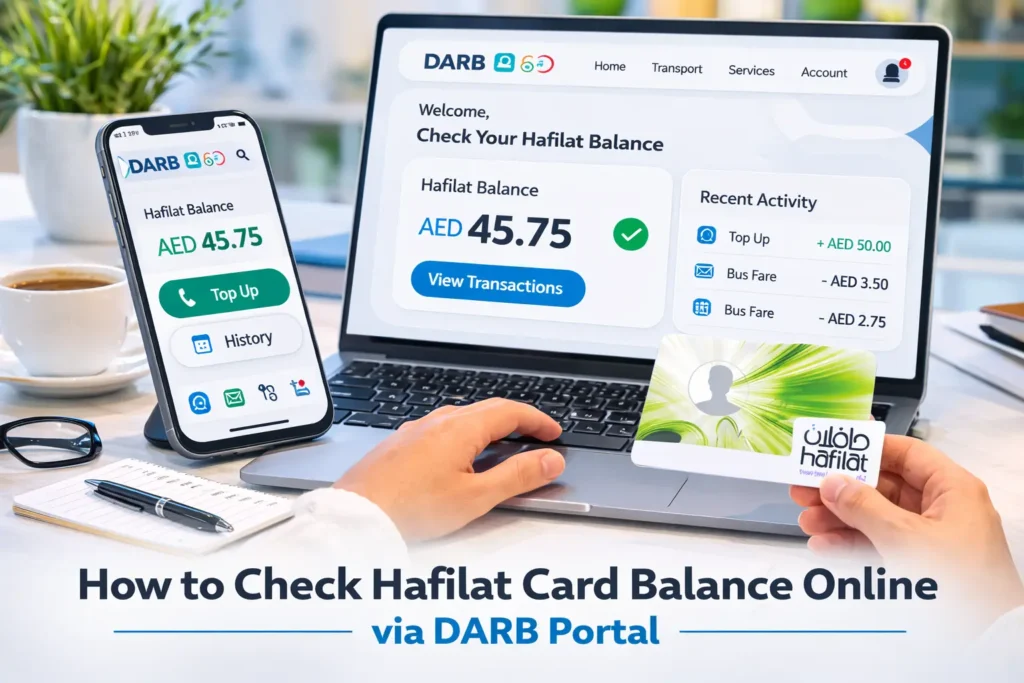
Checking your Hafilat card balance online is quick, safe, and convenient. Using the official DARB platform ensures you get accurate, up-to-date information about your card balance, recent transactions, and top-up history. Follow these steps to check your Hafilat balance online:
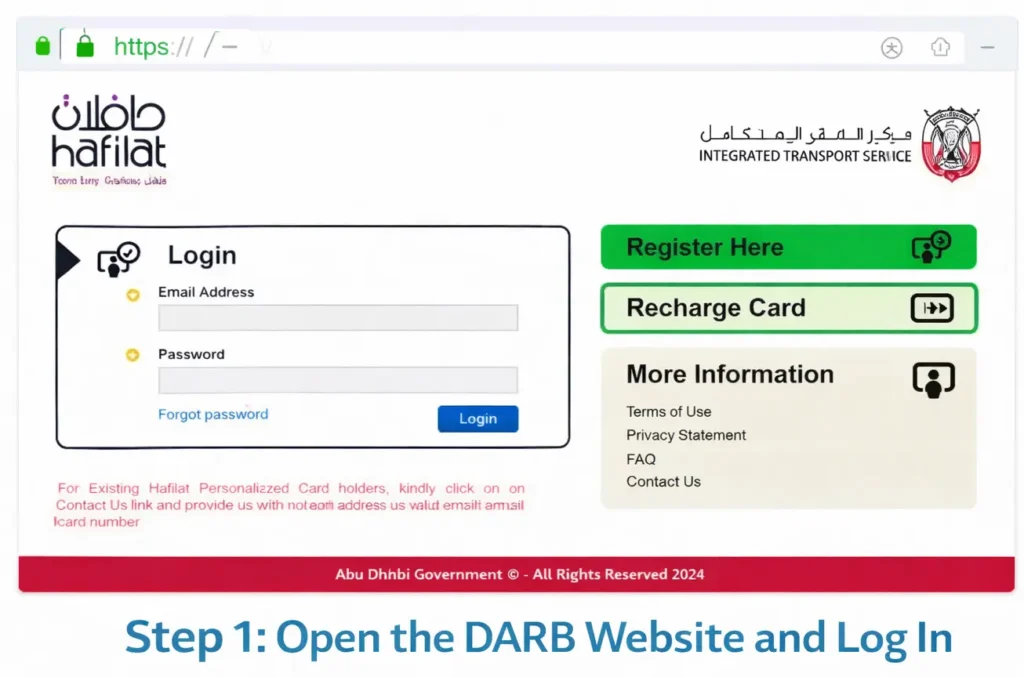
Step 1: Open the DARB Website and Log In
- Go to the official DARB platform for Abu Dhabi transport.
- If you don’t have an account, create one using your Email, Emirates ID, and Traffic Number along with a secure password.
- Ensure the page shows a padlock icon (HTTPS) in the browser address bar before entering any sensitive information.
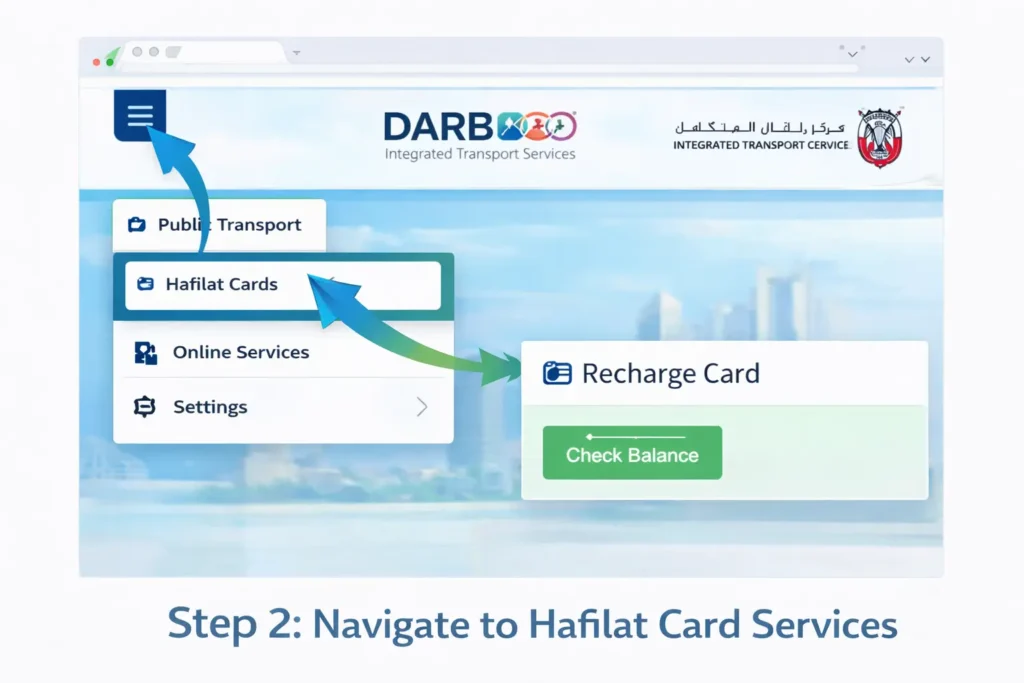
Step 2: Navigate to Hafilat Card Services
- Click the menu icon (☰) at the top-left of the DARB site.
- Select Public Transport → Hafilat Cards.
- Then go to Online Services → Recharge Card.
Step 3: Enter Your Hafilat Card Serial Number
- Locate the Card Serial Number field on the Recharge page.
- Enter your 16-digit Hafilat card serial number exactly as it appears on the back of your card.
- Complete any CAPTCHA verification if prompted.

Tip: Keep your card number private. Do not share screenshots or the full number online.
Step 4: Submit and View Your Balance
- Click the Submit button.
- You’ll see your Hafilat card details, including:
- Current balance (in AED)
- Card expiry date (if applicable)
- Last 5 transactions with route or date details
- Optionally, take a screenshot for easy reference or customer support.

Step 5: Additional Tips for Smooth Use
- Top-ups: Check which payment methods are supported before adding money online.
- Mobile vs Desktop: The portal works on phones, but the desktop view shows tables more clearly.
- Plan your trips: Always ensure your Hafilat balance is sufficient before boarding buses.
Using these steps ensures a hassle-free Hafilat balance check online and keeps your card ready for travel across Abu Dhabi’s bus network.
Check Hafilat Card Balance Using the DARB Mobile App
For commuters who prefer using their smartphones, the DARB mobile app provides a fast and convenient way to check their Hafilat card balance. The app allows you to view your remaining balance, recent transactions, and top up your smart card on the go, ensuring you never run out of credit while traveling across Abu Dhabi’s public bus network.
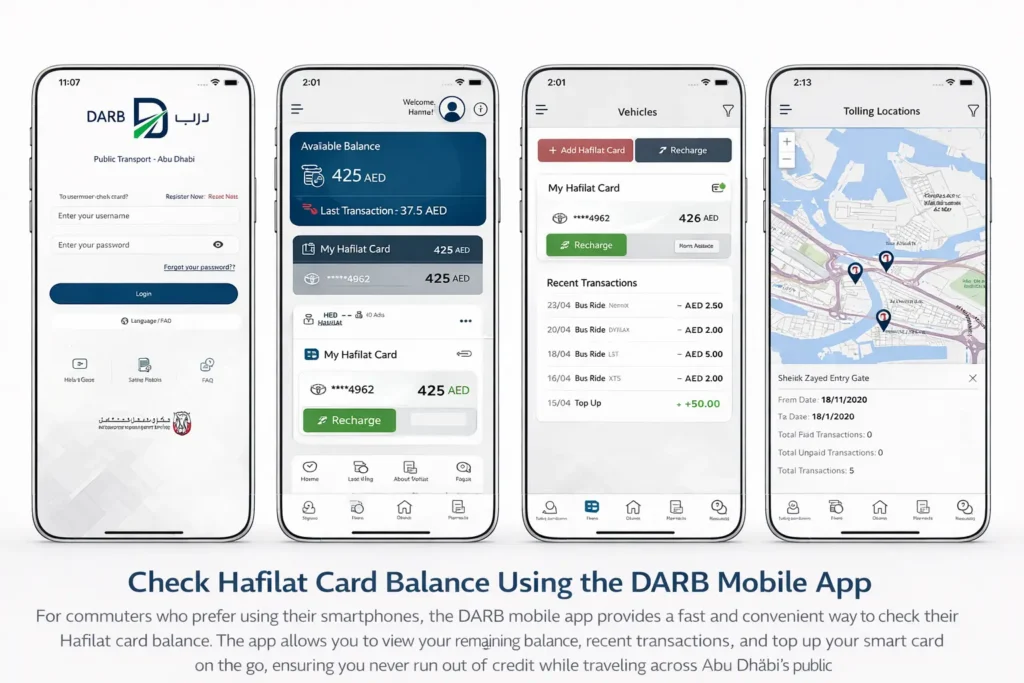
Through the app, you can perform:
- DARB Balance Check
- Hafilat Balance via app
- Smart Card Balance Check
Follow these steps to check your Hafilat balance online safely and efficiently:
Step 1: Download and Install the DARB App
- iPhone/iPad: Open the App Store, search for “DARB Abu Dhabi”, and tap Get.
- Android devices: Open Google Play Store, search “DARB Abu Dhabi Mobile App”, and tap Install.

Make sure you download the official app to avoid fake versions and ensure secure access to your Hafilat card.
Step 2: Create an Account or Log In
- Open the app and select Sign Up if you’re a new user, or Log In if you already have an account.
- New users must provide their mobile number, email address, and create a secure password.
- Verify your account using the OTP sent to your registered phone number.

Keep your login details private and do not share your OTP with anyone.
Step 3: Link Your Hafilat Card
- On the app home screen, tap the “+” (Add Card) icon.
- Select Recharge Hafilat Card and enter your 16-digit Hafilat card serial number exactly as printed on the back of your card.
- Tap Add Card to link it to your account.
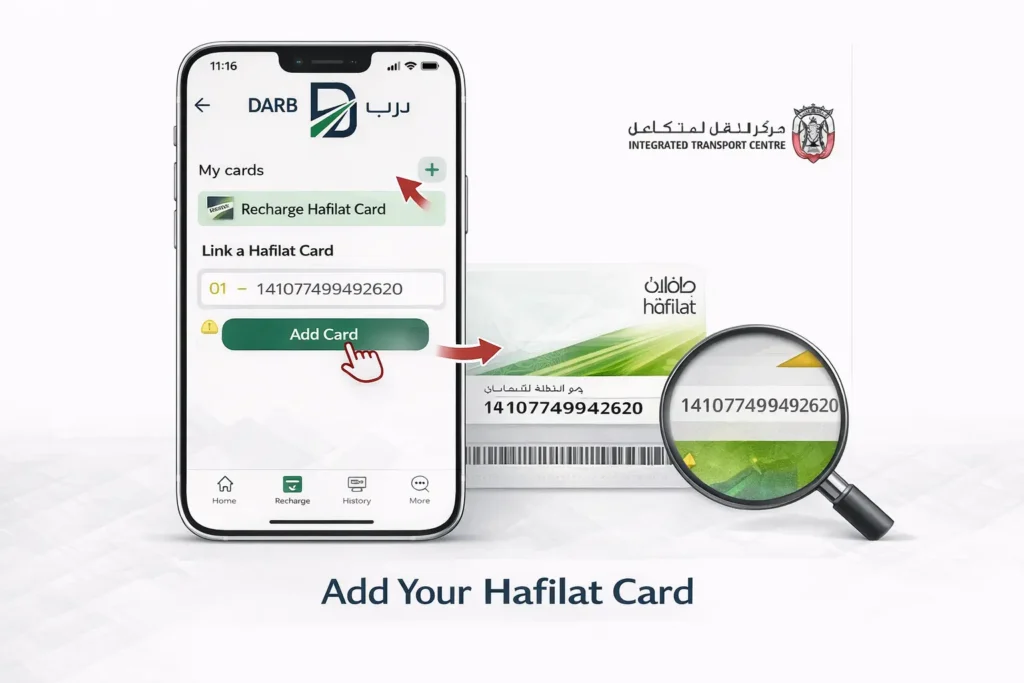
Double-check the serial number to avoid errors; a single incorrect digit can prevent recognition.
Step 4: Check Your Hafilat Balance
- Open My Cards or Hafilat Cards from the home screen.
- Select your linked card to view:
- Current balance (in AED)
- Card expiry date
- Recent transactions, including the last five trips or top-ups.

This method allows instant tracking of your Hafilat balance and helps you plan your journeys effectively.
Step 5: Manage and Monitor Your Card
- Optionally, take a screenshot of your balance screen for your personal records.
- To add funds, tap Top Up, select the amount, and pay via credit/debit card or supported e-wallets.
- Review your last few trips under Transaction History to keep track of usage.
- After recharging, you can tap your card at a bus validator for instant updates if the online balance doesn’t refresh immediately.
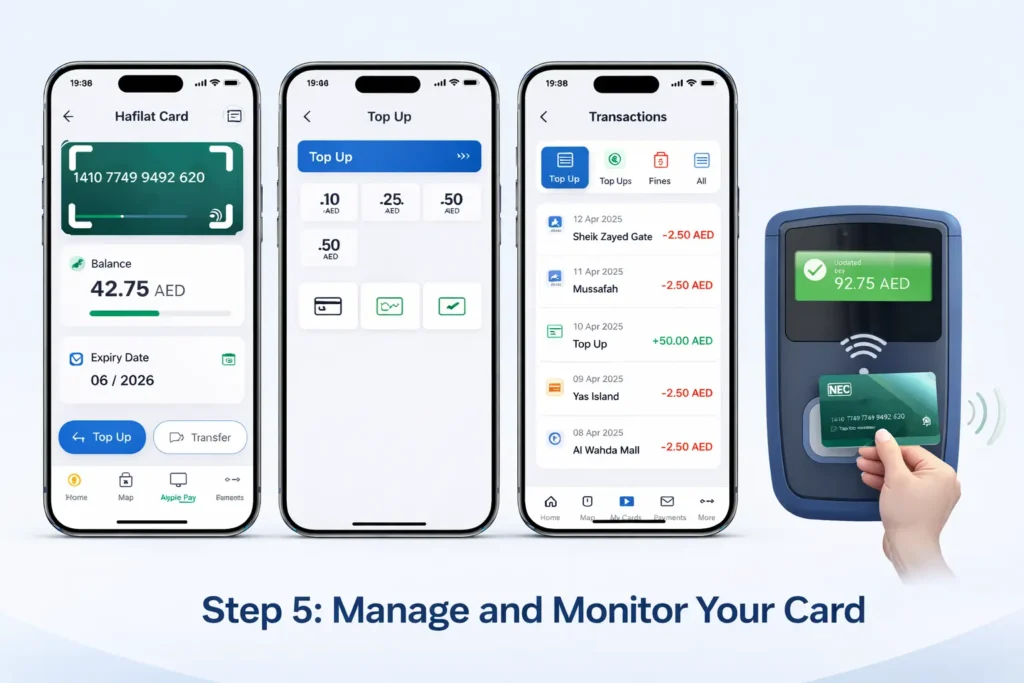
Using the DARB mobile app ensures a fast, secure, and reliable Hafilat balance check, making your daily commute in Abu Dhabi seamless and stress-free.
The mobile app method is ideal for daily commuters, students, and frequent travelers because it allows instant access to your card details anytime, anywhere. Additionally, you can top up your Hafilat card, track recent trips, and manage multiple cards from a single account, making commuting simpler and more efficient.
Check Hafilat Balance via Payit Wallet (Step By Step)
For Abu Dhabi commuters who prefer using mobile wallets, Payit Wallet provides a quick and convenient way to check your Hafilat card balance. With this method, you can instantly view your smart card credit, recent transactions, and plan your trips without visiting a station or using the DARB portal. Using Payit ensures your smart card balance in Abu Dhabi is always up-to-date, helping you travel without interruptions.

Payit Wallet supports:
- Bus card balance inquiry
- Smart card balance Abu Dhabi
- Balance inquiry hafilat
Step 1: Install and Open Payit Wallet
- iPhone/iPad: Open the App Store, search “Payit Digital Wallet UAE”, and tap Get.
- Android: Open Google Play Store, search “Payit UAE”, and tap Install.

Make sure you are using the latest version to access all Hafilat card features, including balance checks and top-ups.
Step 2: Create an Account or Log In
- Open the app and sign up if you’re a new user, or log in if you already have an account.
- Provide your mobile number, email, and create a secure password.
- Verify your account using the OTP sent to your phone.
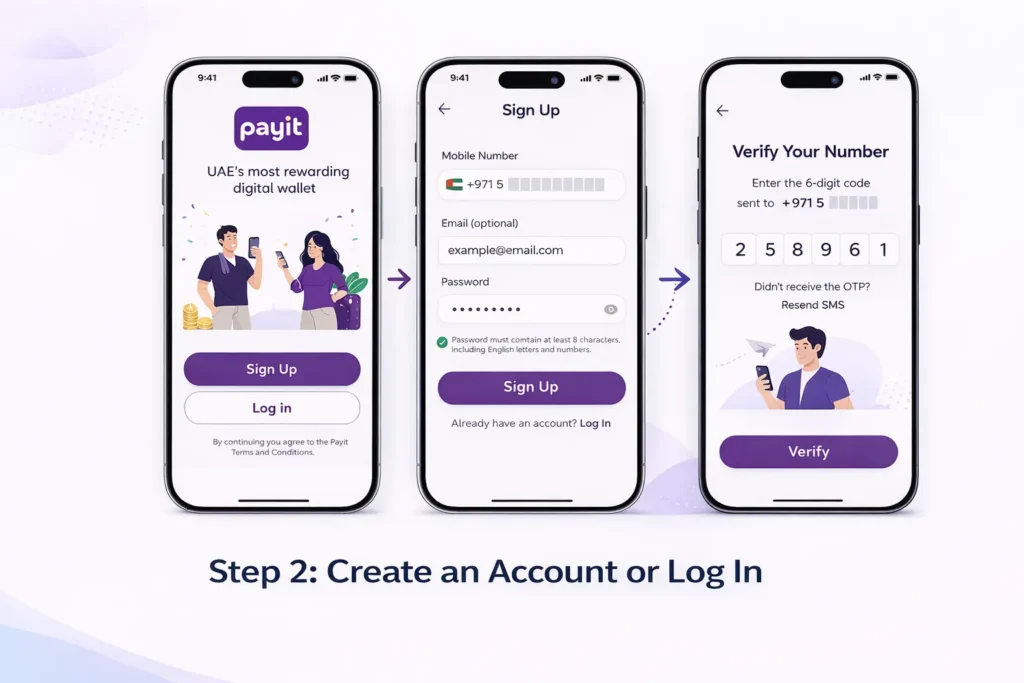
Keep your login details and OTP private to ensure your Hafilat card information remains secure.
Step 3: Navigate to Hafilat Services
- On the Payit dashboard, select UAE Bills & Recharge.
- Tap Public Transport, then choose Hafilat Card Balance & Recharge.

This section allows you to view your current balance, track transactions, and recharge your card conveniently.
Step 4: Link Your Hafilat Card
- If your card is not already linked, tap Add New Card.
- Enter your 16-digit Hafilat card serial number exactly as printed on the back of your card.
- Tap Save to link the card to your account.

Step 5: Check Your Balance and Card Details
- Select your linked card to see:
- Available balance (AED)
- Card expiry date (if applicable)
- Recent top-ups and the last five transactions
- Tap Refresh to get real-time updates.

Checking your Hafilat balance via Payit Wallet helps you avoid travel delays, plan your top-ups, and ensures smooth daily commuting across Abu Dhabi.
Step 6: Top Up and Manage Your Card (Optional)
- To recharge, tap Top Up, choose an amount, and pay via your bank card or supported e-wallet.
- Monitor your last trips and recharges under Transaction History for better control over your card usage.
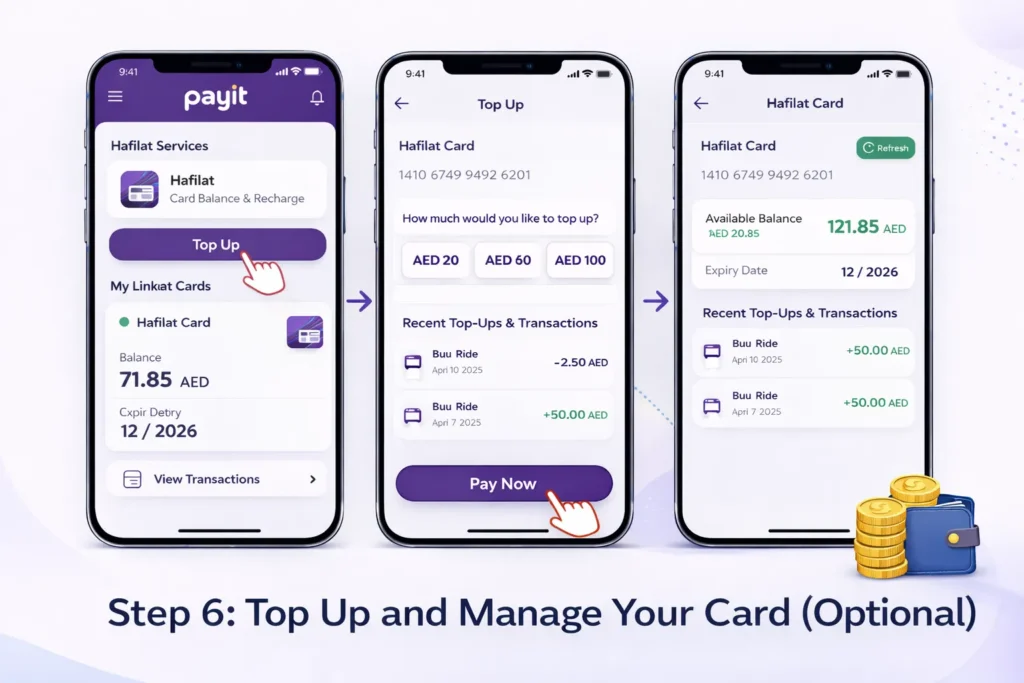
Using Payit Wallet for your Hafilat balance check is fast, secure, and ideal for daily commuters. It ensures you always have sufficient balance and helps you plan your Abu Dhabi bus journeys efficiently.
Hafilat Balance Check by SMS
For residents and workers in Abu Dhabi without access to smartphones or mobile internet, the SMS service provides a simple way to check your Hafilat card balance. This method allows you to quickly verify your smart card balance in Abu Dhabi before boarding buses, ensuring you always have enough credit for your journey.

Step 1: Prepare Your Hafilat Card Number
- Locate your 16-digit Hafilat card serial number printed on the back of your card.
- Keep it handy, as you will need to include it in the SMS.
Step 2: Compose an SMS
- Open the SMS app on your phone.
- Type a new message in the following format:
BAL <space> Hafilat card number
- Example:
BAL 1234567890123456
Step 3: Send SMS to Official Number
- Send the SMS to the official Hafilat SMS service number (3009) provided by Abu Dhabi transport authorities.
Step 4: Receive Your Balance Information
- Within a few seconds, you will receive a reply containing:
- Current balance in AED
- Expiry date (if applicable)
- Optional last few transactions
Using the SMS method is especially helpful for workers and residents without smartphones or reliable internet, allowing instant Hafilat balance check anywhere in Abu Dhabi. Always ensure you send SMS only to the official service number to protect your card details.
Check Hafilat Card Balance at Ticket Vending Machines (TVM)
For commuters in Abu Dhabi who prefer offline options, Ticket Vending Machines (TVMs) provide a fast and reliable way to perform a Hafilat balance check. These machines are located at major bus stations, interchanges, and key public transport hubs. Using a TVM allows you to view your smart card balance, recent transactions, and even top up your Hafilat card instantly, without a smartphone or internet connection.

Common TVM Locations in Abu Dhabi
- Abu Dhabi Central Bus Station (Main City Terminal)
- Al Ain Bus Terminal
- Mussafah Central Interchange
- Zayed Sports City Bus Terminal
- Mushrif Mall Interchange
- Khalifa City A Bus Station
- Al Wahda Mall Bus Station
- Baniyas East and West Bus Stops
- Al Dhafra Region Bus Terminal (for Ruwais and Delma Island routes)
All TVMs are ITC-certified and support secure balance inquiries, top-ups, and receipt printing.
Step-by-Step Guide to Check Hafilat Balance at TVMs

Step 1: Locate and Activate a TVM
- Look for machines labeled “Recharge & Balance Inquiry” or the TVM icon.
- Tap the screen or press any button to activate.
Step 2: Select Your Language
- Choose English or Arabic. English is recommended if you’re not fluent in Arabic.
Step 3: Tap or Insert Your Hafilat Card
- Place your Hafilat card on the contactless reader or insert it into the slot according to chip orientation.
- Wait a few seconds for the machine to read your card.
Step 4: Choose Balance Inquiry
- From the menu, select Balance Inquiry.
- This option is free and does not deduct any balance.
Step 5: View and Record Your Balance
- The screen will display:
- Current balance (AED)
- Card expiry date
- Recent top-ups (if available)
- Optionally, tap Print Receipt for a paper copy.
Step 6: Remove Your Card Safely
- Take your card when prompted.
- Double-check it before leaving to avoid leaving your Hafilat card behind.
Tips and Troubleshooting
- Card Orientation: Ensure the chip or magnetic stripe is correctly aligned.
- Unresponsive Screen: Press Help or try another TVM.
- Receipt Printing Issues: Note the balance from the screen if printing fails.
- Hygiene Tip: Sanitize your hands when touching public screens.
Using a TVM for Hafilat balance check is fast, reliable, and perfect for travelers or daily commuters who want immediate access to their card credit without relying on mobile apps or internet connections.
Check Hafilat Balance on Bus Card Readers
Another simple way to perform a Hafilat balance check is directly on the bus when boarding. Every Abu Dhabi public bus is equipped with electronic card readers that display your remaining credit immediately after tapping your Hafilat smart card.

This method is commonly used by daily commuters because it provides an instant view of your bus card balance without opening an app or visiting a website.
Step 1: Board the Bus and Locate the Card Reader
When entering the bus, you will see a contactless validator near the driver or entrance door.
Step 2: Tap Your Hafilat Card
Place your Hafilat card on the reader for a moment. The system will scan the card and deduct the required fare.
Step 3: View Remaining Balance
After the card is scanned, the screen will display:
- Remaining Hafilat card balance
- Fare deducted for the current trip
Step 4: Confirm Your Balance Before Travel
If the balance is low, you should recharge your card at a TVM, online portal, or mobile app before your next journey.
Checking your smart card balance in Abu Dhabi buses is quick and convenient, making it one of the most commonly used balance inquiry methods for everyday public transport users.
Customer Service & Retail Partner Outlets
Passengers can also check their Hafilat card balance by visiting customer service centers or authorized retail partner outlets in Abu Dhabi. This method is useful for people who prefer in-person assistance or need help with their bus card.

Steps to check the balance:
- Visit the nearest customer service center or authorized retail partner.
- Provide your Hafilat smart card to the staff.
- Ask them to perform a Hafilat balance inquiry.
- The staff will scan the card using the official system.
- Your remaining bus card credit will be displayed or printed.
This method is commonly used by residents who want help with Hafilat card balance checks, recharge services, or card issues.
Which Hafilat Balance Check Method is Best?
| Method | Internet Needed | Speed | Best For |
|---|---|---|---|
| DARB Portal | Yes | Fast | Desktop users |
| DARB App | Yes | Very Fast | Smartphone users |
| TVM | No | Medium | Station visitors |
| Bus Reader | No | Instant | Daily commuters |
| SMS | No | Fast | Basic phone users |
For most people, hafilat balance check online via the DARB app is the fastest.
How to Recharge Hafilat Card Online & Offline
Keeping your Hafilat card topped up is important for smooth travel across Abu Dhabi’s bus network. If the balance falls below the required amount, passengers may not be able to start their journey. Fortunately, adding credit to the card is simple and can be done through several convenient methods.
Travelers can recharge their Hafilat card online using official transport platforms or mobile apps. After logging in, users only need to enter their card details, choose the amount they want to add, and complete the payment using a debit or credit card. Once the payment is confirmed, the balance will update when the card is tapped on a bus validator or at a ticket machine.

For those who prefer in-person services, recharging is also possible at ticket vending machines, bus stations, and authorized service centers across Abu Dhabi. These locations allow passengers to add funds quickly before boarding a bus.
Regularly checking and recharging your Hafilat card helps avoid interruptions during daily commuting and ensures a hassle-free travel experience.
Recharge Hafilat Card Online via the DARB Website
Passengers in Abu Dhabi can easily recharge their Hafilat card through the official DARB transport portal. This online method allows commuters to add balance to their bus card from home without visiting a ticket machine or service center.

Step 1: Visit the DARB Portal
Open the official DARB website in your browser and go to the public transport services section.
Step 2: Log in to Your Account
Click the login option and enter your registered account details. If you do not have an account, create one before continuing.
Step 3: Open Hafilat Card Services
Navigate to the Hafilat card section and select the recharge or top-up option.
Step 4: Enter Your Card Details
Type the Hafilat card number exactly as it appears on your card.
Step 5: Select Recharge Amount
Choose the amount you want to add to your card balance.
Step 6: Complete the Payment
Pay using a debit or credit card and confirm the transaction.
Step 7: Update Your Card Balance
After payment, tap your Hafilat card on a bus validator or ticket machine so the new balance can synchronize with the card.
This online recharge method is convenient for daily commuters who want to manage their bus card balance quickly and securely.
Recharge Hafilat Card via the DARB Mobile App
The DARB mobile app provides a convenient way to recharge your Hafilat card directly from your smartphone. This method is useful for commuters who prefer managing their transport card without visiting ticket machines or service centers.

Step 1: Open the DARB Mobile App
Launch the official DARB application on your phone and log in to your account.
Step 2: Go to Hafilat Card Services
From the dashboard, navigate to the section related to Hafilat cards or public transport services.
Step 3: Select the Recharge Option
Choose the option to recharge or top up your card.
Step 4: Enter Your Card Details
Provide your Hafilat card number and verify the information.
Step 5: Choose the Recharge Amount
Select the amount you want to add to your card balance.
Step 6: Complete the Payment
Pick a payment method such as debit or credit card and confirm the transaction.
After completing the payment, the balance will update when the card is tapped on a bus reader or ticket machine.
Recharge Hafilat Card Through Payit Wallet
Payit Wallet allows passengers in Abu Dhabi to recharge their Hafilat bus card quickly using a mobile wallet. This option is useful for commuters who prefer managing payments digitally without visiting bus stations or ticket machines.

Step 1: Open the Payit Wallet App
Launch the Payit app on your smartphone and sign in to your account.
Step 2: Access Transport Services
From the main dashboard, navigate to the section for public transport or Hafilat services.
Step 3: Add or Select Your Hafilat Card
Enter your Hafilat card number if the card is not already linked, or select your existing card.
Step 4: Choose the Recharge Option
Select the option to add balance to the card and choose the amount you want to recharge.
Step 5: Complete the Payment
Confirm the payment using your debit card or wallet balance.
Once the transaction is completed, the updated balance will be applied when you tap the card on a bus validator or ticket machine.
Recharge Hafilat Card at Bus Station Kiosks
Passengers can also recharge their Hafilat card at self-service kiosk machines located in major bus stations across Abu Dhabi. These machines allow commuters to add balance quickly before boarding a bus, making them a convenient option for people who prefer offline services.
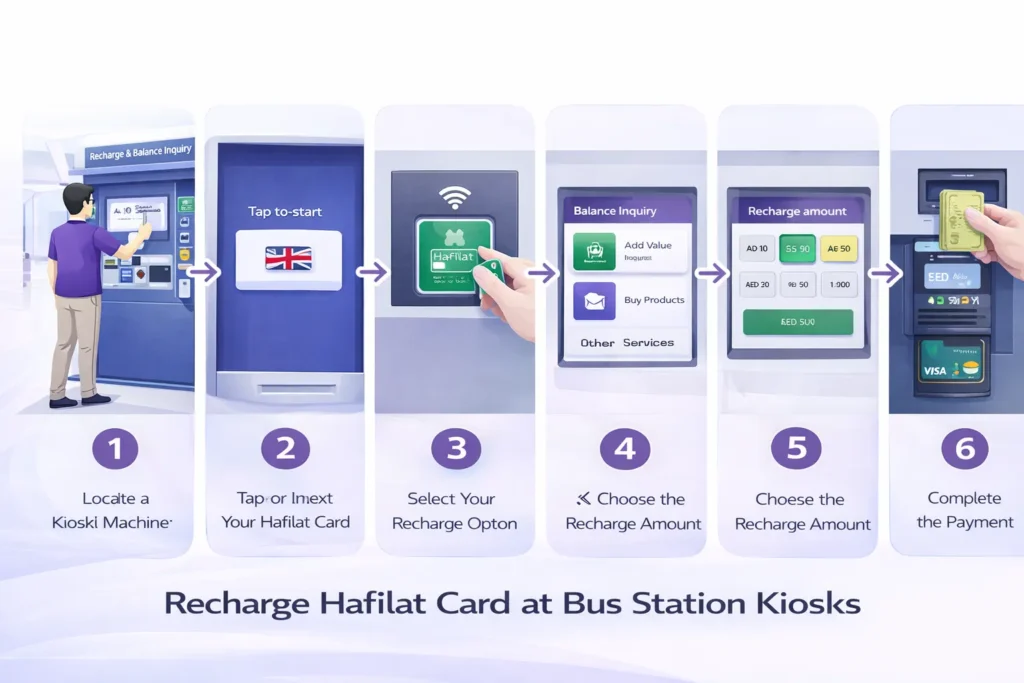
Step 1: Locate a Kiosk Machine
Find a self-service recharge kiosk at your nearest bus station or transport terminal.
Step 2: Tap or Insert Your Hafilat Card
Place your card on the contactless reader or insert it into the card slot so the machine can recognize it.
Step 3: Select the Recharge Option
From the screen menu, choose the option to recharge or top up your card balance.
Step 4: Choose the Amount
Select the amount you want to add to your card.
Step 5: Complete the Payment
Insert cash or pay using a supported digital payment method.
After the transaction is completed, the updated balance will be stored on your card and ready to use for your next trip.
Recharge at Retail Partner Stores

You can also recharge your Abu Dhabi bus card at authorized retail partner stores across the city. These partner locations include small convenience shops and service centers that are officially approved to provide Hafilat card recharge services.
Simply visit a participating store, give your card to the cashier, and request the recharge amount. Payment can usually be made using cash or a debit card depending on the store.
Always confirm that the store is an official partner to ensure your recharge Abu Dhabi bus card transaction is processed safely and successfully.
Auto Recharge & Smart Top-Up Options
The DARB platform offers convenient auto recharge and smart top-up options for Hafilat card users in Abu Dhabi. With this feature, your card balance can be automatically recharged when it becomes low, helping passengers avoid travel disruptions.
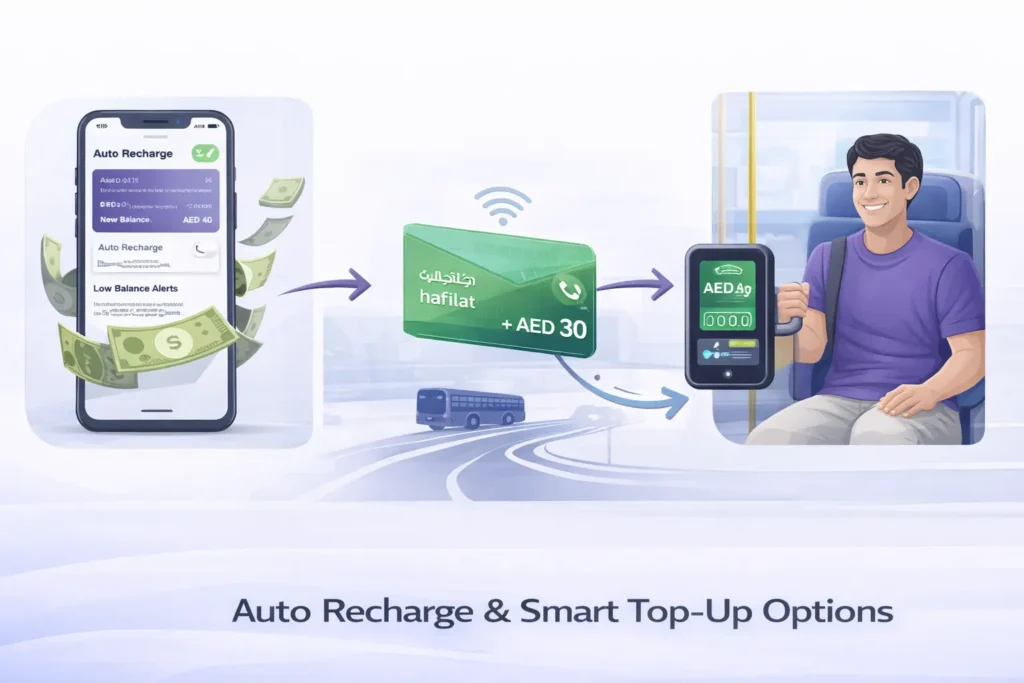
This system ensures:
- No negative balance rule violation
- Required balance before boarding the bus
- Smooth and uninterrupted travel across the Abu Dhabi bus network
Auto top-up is especially useful for daily commuters who rely on public transport and want to avoid manual recharges.
Common Hafilat Recharge Problems & Fixes
Sometimes passengers may face small issues when recharging their Hafilat card. These problems are usually easy to fix and can often be resolved through the DARB portal or by syncing the card at a bus station machine.
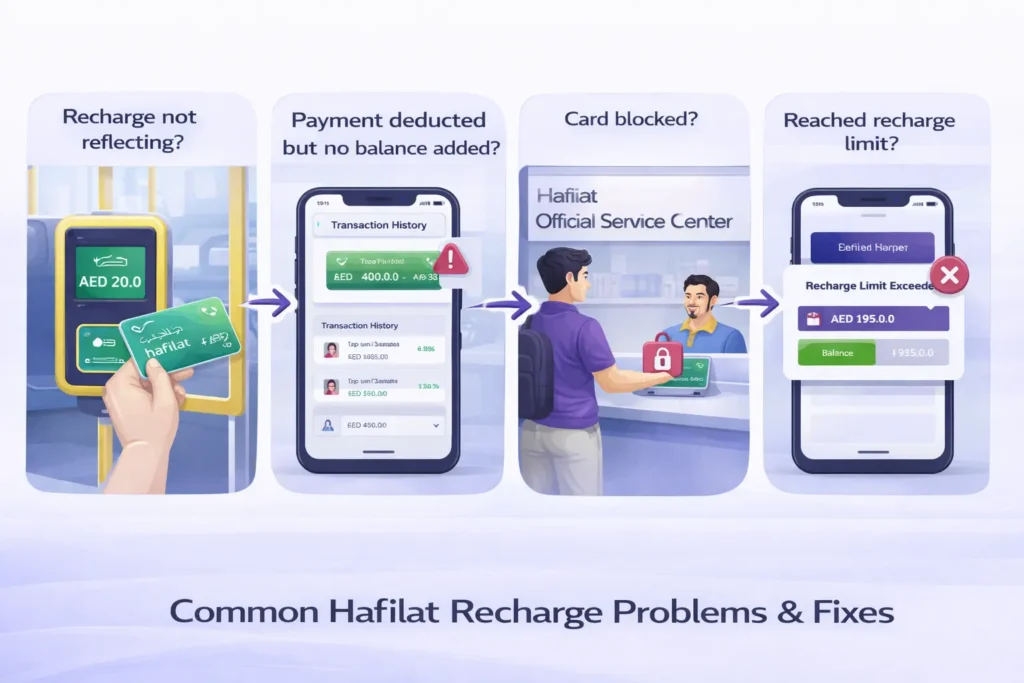
Here are some common Hafilat recharge issues and their solutions:
Recharge not reflecting?
- Tap your Hafilat card at a bus validator or kiosk machine to sync the balance.
Payment deducted but no balance added?
- Check your transaction history in the DARB app or portal to confirm the recharge status.
Card blocked?
- Visit an official Hafilat service center in Abu Dhabi to resolve the issue.
Reached recharge limit?
- Check the recharge limit rules in the DARB portal before adding more balance.
Types of Hafilat Cards in Abu Dhabi
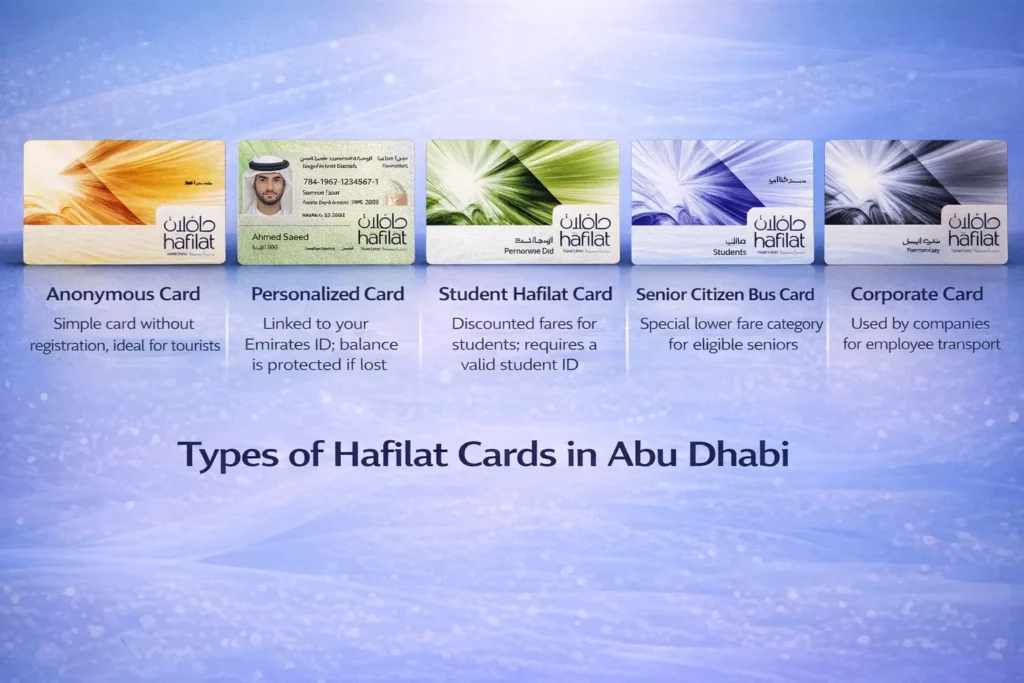
Abu Dhabi’s Hafilat system offers different card types to suit the needs of residents, students, seniors, tourists, and corporate users. Choosing the right card ensures smooth travel and access to the correct fares.
Hafilat Card Options:
- Anonymous Card: Simple card without registration, ideal for tourists.
- Personalized Card: Linked to your Emirates ID; balance is protected if lost.
- Student Hafilat Card: Discounted fares for students; requires a valid student ID.
- Senior Citizen Bus Card: Special lower fare category for eligible seniors.
- Corporate Card: Used by companies for employee transport.
Tip: Always pick the card type that matches your travel pattern to maximize convenience and savings.
Anonymous Hafilat Card
The Anonymous Hafilat Card is designed for travelers and occasional users who want quick and hassle-free access to Abu Dhabi’s public transport system. Unlike personalized cards, it does not require registration or linking to an Emirates ID, making it ideal for tourists and short-term visitors.
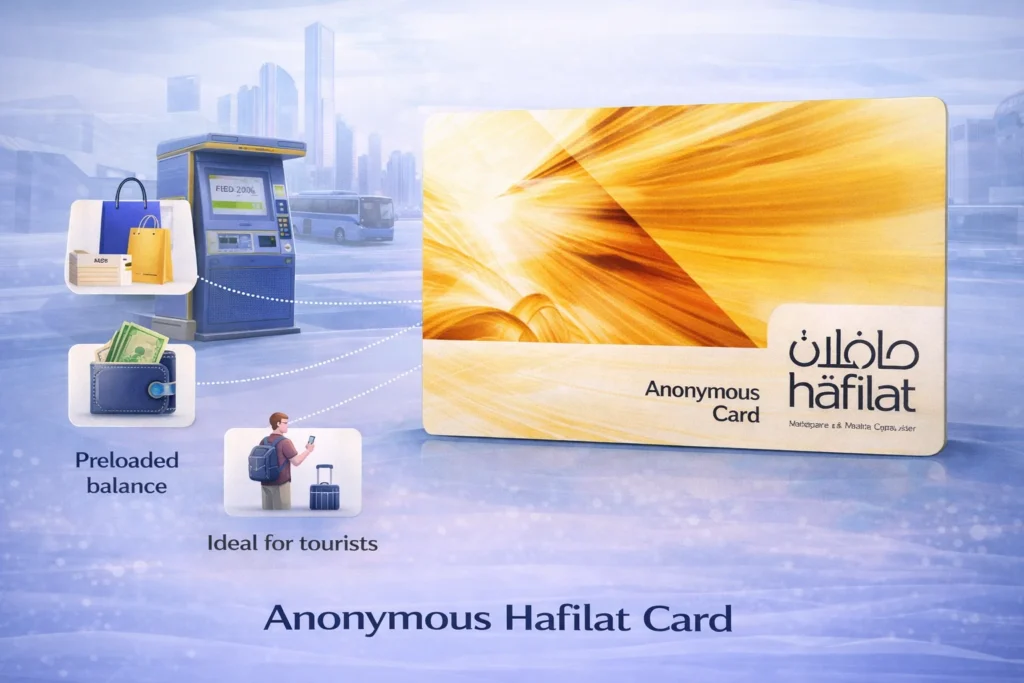
Key Features:
- No registration needed: Purchase and start using immediately.
- Preloaded balance: Top up at any bus station kiosk or online.
- Easy replacement: If lost, the balance cannot be recovered, so keep it safe.
- Suitable for tourists: Perfect for short visits without long-term commitments.
Tip: Only use the Anonymous Card for temporary travel; residents should opt for a personalized card for better security and balance protection.
Personalized Hafilat Card
The Personalized Hafilat Card is ideal for Abu Dhabi residents who use public transport regularly and want a secure, convenient, and reliable way to manage their travel balance. This card is linked to your Emirates ID, ensuring that your account and balance remain protected even if the card is lost or stolen.
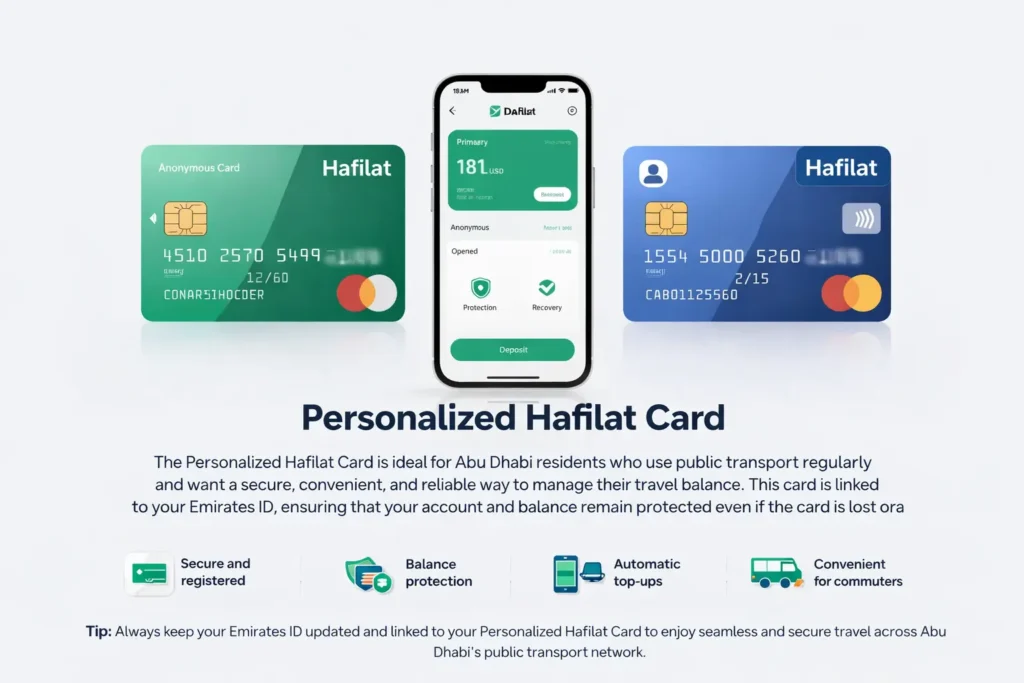
Key Features:
- Secure and registered: Linked to your Emirates ID for identity verification.
- Balance protection: Lost or stolen cards can be blocked and replaced without losing funds.
- Automatic top-ups: Easily manage your balance through the DARB portal or mobile app.
- Convenient for daily commuters: Perfect for frequent bus or intercity travel.
Tip: Always keep your Emirates ID updated and linked to your Personalized Hafilat Card to enjoy seamless and secure travel across Abu Dhabi’s public transport network.
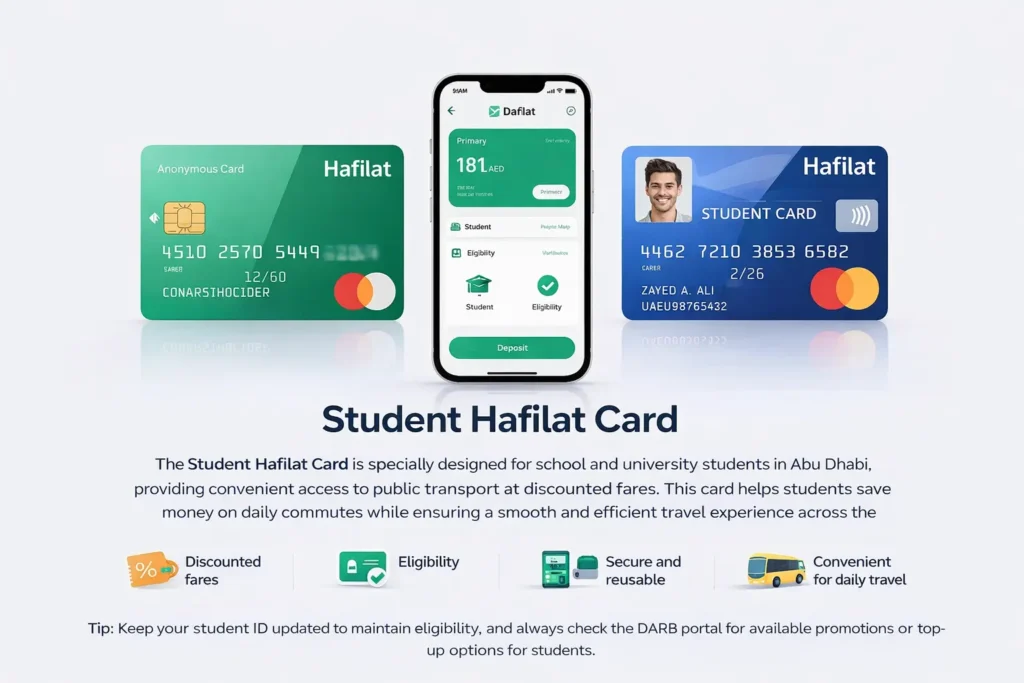
Student Hafilat Card
The Student Hafilat Card is specially designed for school and university students in Abu Dhabi, providing convenient access to public transport at discounted fares. This card helps students save money on daily commutes while ensuring a smooth and efficient travel experience across the city’s bus network.
Key Features:
- Discounted fares: Reduced travel costs for students, making daily commutes more affordable.
- Eligibility: Requires a valid student ID for verification.
- Secure and reusable: Can be topped up via the DARB portal or at bus stations.
- Convenient for daily travel: Ideal for students commuting to school, university, or extracurricular activities.
Tip: Keep your student ID updated to maintain eligibility, and always check the DARB portal for available promotions or top-up options for students.
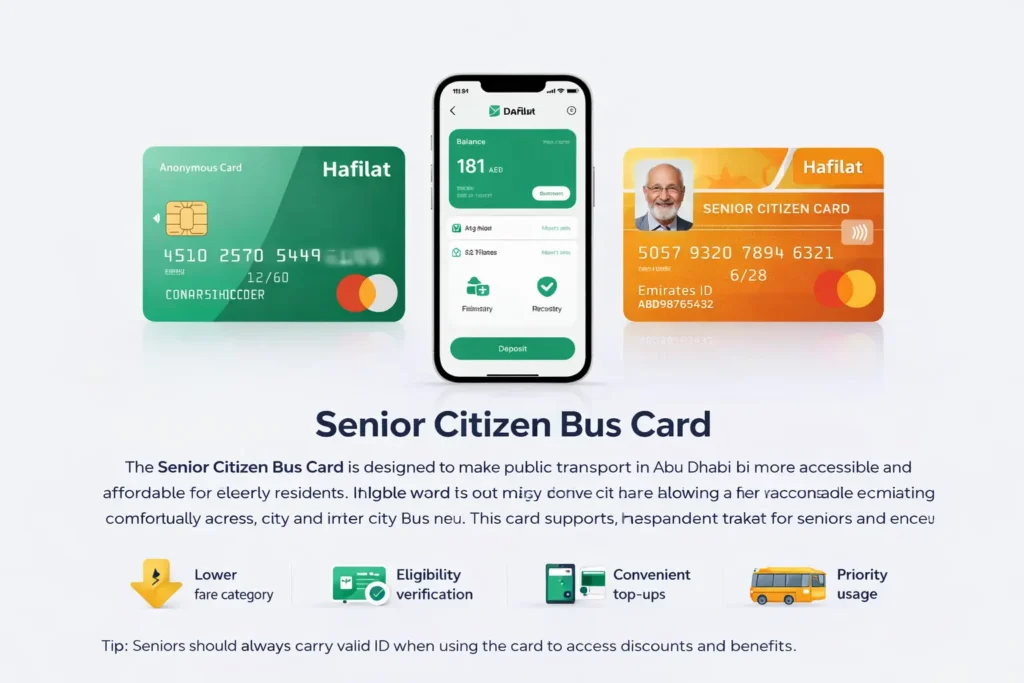
Senior Citizen Bus Card
The Senior Citizen Bus Card is designed to make public transport in Abu Dhabi more accessible and affordable for elderly residents. Eligible seniors can enjoy reduced fares, helping them save money while traveling comfortably across city and intercity bus routes. This card supports independent travel for seniors and encourages greater mobility within the city.
Key Features:
- Lower fare category: Special discounted rates for seniors on all Hafilat-supported bus routes.
- Eligibility verification: Seniors must provide valid identification to apply.
- Convenient top-ups: Easily recharge online through the DARB portal or at bus station kiosks.
- Priority usage: Ideal for daily errands, medical visits, or social activities.
Tip: Seniors should always carry a valid ID when using the card to access discounts and benefits.
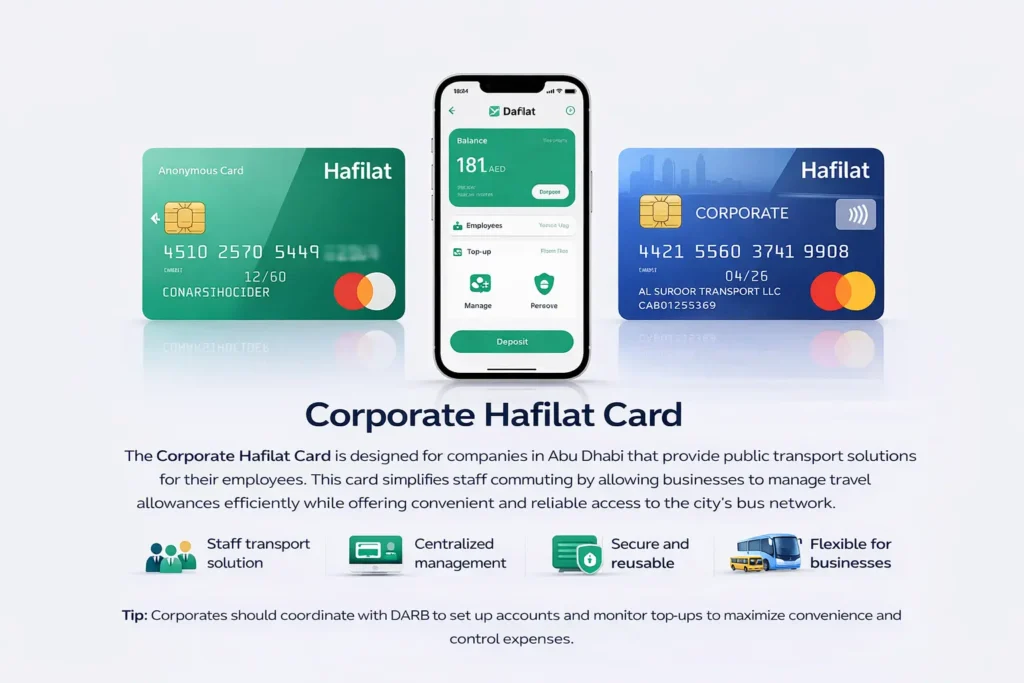
Corporate Hafilat Card
The Corporate Hafilat Card is designed for companies in Abu Dhabi that provide public transport solutions for their employees. This card simplifies staff commuting by allowing businesses to manage travel allowances efficiently while offering convenient and reliable access to the city’s bus network.
Key Features:
- Staff transport solution: Companies can distribute cards to employees for regular commuting.
- Centralized management: Track usage, top-ups, and balance through the DARB portal for easy administration.
- Secure and reusable: Cards are linked to the company account, minimizing lost or misused funds.
- Flexible for businesses: Suitable for small teams or large corporate fleets, ensuring employees travel safely and affordably.
Tip: Corporations should coordinate with DARB to set up accounts and monitor top-ups to maximize convenience and control expenses.
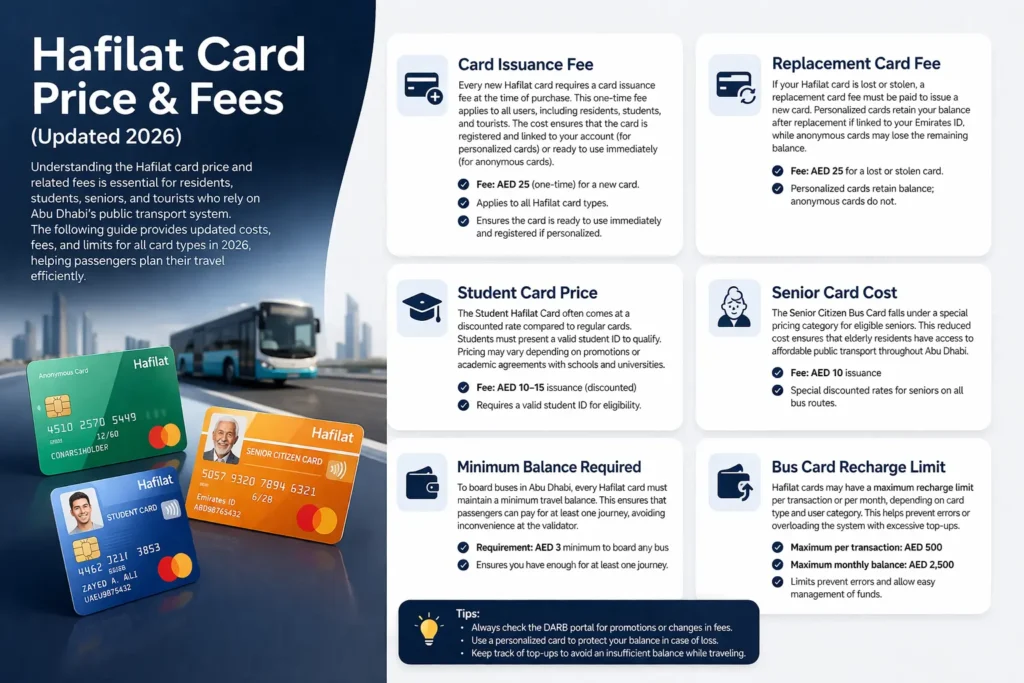
Hafilat Card Price & Fees (Updated 2026)
Understanding the Hafilat card price and related fees is essential for residents, students, seniors, and tourists who rely on Abu Dhabi’s public transport system. The following guide provides updated costs, fees, and limits for all card types in 2026, helping passengers plan their travel efficiently.
Card Issuance Fee
Every new Hafilat card requires a card issuance fee at the time of purchase. This one-time fee applies to all users, including residents, students, and tourists. The cost ensures that the card is registered and linked to your account (for personalized cards) or ready to use immediately (for anonymous cards).
- Fee: AED 25 (one-time) for a new card.
- Applies to all Hafilat card types.
- Ensures the card is ready to use immediately and registered if personalized.
Replacement Card Fee
If your Hafilat card is lost or stolen, a replacement card fee must be paid to issue a new card. Personalized cards retain your balance after replacement if linked to your Emirates ID, while anonymous cards may lose the remaining balance.
- Fee: AED 25 for a lost or stolen card.
- Personalized cards retain balance; anonymous cards do not.
Student Card Price
The Student Hafilat Card often comes at a discounted rate compared to regular cards. Students must present a valid student ID to qualify. Pricing may vary depending on promotions or academic agreements with schools and universities.
- Fee: AED 10–15 issuance (discounted)
- Requires a valid student ID for eligibility.
Senior Card Cost
The Senior Citizen Bus Card falls under a special pricing category for eligible seniors. This reduced cost ensures that elderly residents have access to affordable public transport throughout Abu Dhabi.
- Fee: AED 10 issuance
- Special discounted rates for seniors on all bus routes.
Minimum Balance Required
To board buses in Abu Dhabi, every Hafilat card must maintain a minimum travel balance. This ensures that passengers can pay for at least one journey, avoiding inconvenience at the validator.
- Requirement: AED 3 minimum to board any bus
- Ensures you have enough for at least one journey.
Bus Card Recharge Limit
Hafilat cards may have a maximum recharge limit per transaction or per month, depending on card type and user category. This helps prevent errors or overloading the system with excessive top-ups.
- Maximum per transaction: AED 500
- Maximum monthly balance: AED 2,500
- Limits prevent errors and allow easy management of funds.
Tips:
- Always check the DARB portal for promotions or changes in fees.
- Use a personalized card to protect your balance in case of loss.
- Keep track of top-ups to avoid an insufficient balance while traveling.
How to Apply for a Hafilat Card in Abu Dhabi
Getting a Hafilat card is simple for anyone who plans to use Abu Dhabi’s public buses regularly. The process varies slightly depending on whether you are a resident, student, senior, or visitor.
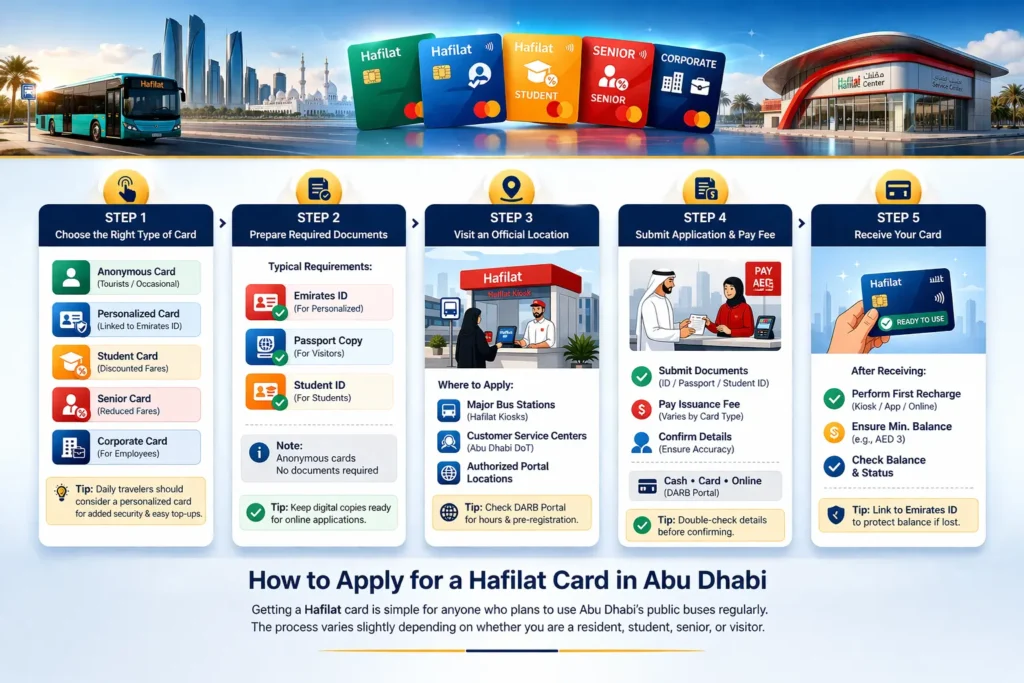
Step 1: Choose the Right Type of Card
Selecting the right Hafilat card is the first step to ensure smooth and cost-effective travel across Abu Dhabi. Each card type is designed for specific users, so understanding their benefits helps you pick the best option for your needs.
Card Options:
- Anonymous Card: Ideal for tourists or occasional travelers; no registration required.
- Personalized Card: Linked to Emirates ID; balance is protected if lost and convenient for daily commuters.
- Student Hafilat Card: Offers discounted fares for school and university students.
- Senior Citizen Bus Card: Provides reduced fares for eligible elderly residents.
- Corporate Card: Suitable for companies providing transport for employees.
Tip: Daily travelers should consider a personalized card for added security and easy top-ups.
Step 2: Prepare Required Documents
Before applying for a Hafilat card, it’s important to gather the necessary documents. Required documents vary depending on the card type and user eligibility.
Typical requirements:
- Emirates ID: Needed for personalized cards to link your identity and protect your balance.
- Passport copy: May be required for visitors or non-residents applying for a personalized or corporate card.
- Student ID: Required for student cards to verify eligibility for discounted fares.
Note: Anonymous cards generally do not require any documents, making them convenient for tourists or short-term visitors.
Tip: Keep digital copies ready if you plan to apply online through the DARB portal, and always check the latest document requirements before visiting a service center.
Step 3: Visit an Official Location
To apply for a Hafilat card, you need to visit an official sales point or service center. Using authorized locations ensures that your application is processed correctly and that you receive a genuine card registered under the Abu Dhabi transport system.
Where to apply:
- Major bus stations in Abu Dhabi with Hafilat kiosks
- Customer service centers under the Abu Dhabi Department of Transport
- Authorized public transport portal locations
At these locations, staff can help you choose the right card type, verify your documents, and issue your card immediately.
Tip: Check the official DARB portal or Abu Dhabi public transport website for operating hours, online pre-registration options, and step-by-step guidance before visiting to save time.
Step 4: Submit Application & Pay Fee
Once you’ve gathered your documents and chosen an official location, the next step is to submit your application and pay the card issuance fee. This ensures that your Hafilat card is properly registered and ready for use.
At the counter or service desk:
- Submit required documents for verification (Emirates ID, passport copy, student ID, etc.)
- Pay the card issuance fee: prices vary depending on card type: for example, AED 25 for standard cards, lower for student or senior cards.
- Confirm your personal details to ensure correct registration and balance protection.
Tip: Most centers accept cash, card, or online pre-payment via the DARB portal. Double-check your details before leaving, as errors may delay activation or replacement in the future.
Step 5: Receive Your Card
Once your application is processed, the Hafilat card is usually issued on the same day at the service center or kiosk. Receiving the card marks the final step in the application process, but a few important actions ensure smooth travel.
After receiving your card:
- Perform your first recharge: Top up through a bus station kiosk, online via the DARB portal, or using the mobile app.
- Ensure minimum required credit: A minimum balance (e.g., AED 3) is needed before boarding any bus.
- Check card balance and status: Confirm that the balance is correctly updated and the card is active before your first ride.
Tip: For personalized cards, linking them to your Emirates ID guarantees that your balance is protected in case of loss, while anonymous cards should be kept safely, as a lost balance cannot be recovered.
Quick Application Summary
| Step | What You Do |
|---|---|
| 1 | Select card type |
| 2 | Prepare documents |
| 3 | Visit service center |
| 4 | Pay issuance fee |
| 5 | Visit the service center |
Once completed, you are ready to use the Abu Dhabi public transport card.
How to Use the Hafilat Card on Abu Dhabi Buses
For new users, understanding how to use a Hafilat card ensures smooth travel, prevents fines, and avoids unexpected balance issues. The system is designed to automatically calculate fares based on distance, but proper tapping and balance management are essential.
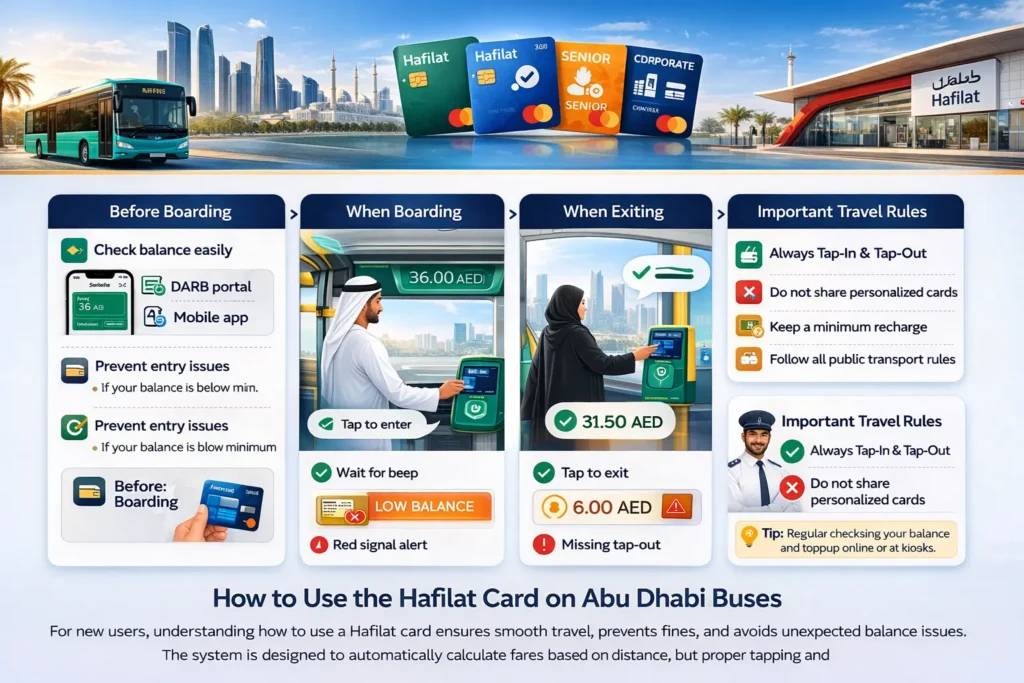
Before Boarding
- Check your balance: Ensure you have at least the minimum required credit (usually AED 3) before boarding.
- Check balance easily: Use the DARB portal, mobile app, or check by card number online.
- Prevent entry issues: If your balance is below the minimum, the system will reject your card.
When Boarding
- Tap your card at the front door reader and wait for the confirmation beep.
- Verify the remaining credit displayed on the screen.
- Red signal alert: Indicates your balance is insufficient and a recharge is needed before boarding.
When Exiting
- Tap again to record exit: The system calculates the distance traveled, fare deduction, and updates your card balance.
- Missing tap-out: Forgetting to tap out may result in the maximum fare being charged.
Important Travel Rules
- Always tap in and tap out.
- Do not share personalized cards; balance is protected when linked to Emirates ID.
- Keep a minimum recharge amount available at all times.
- Follow all public transport route rules and respect negative balance policies.
Tip: Regularly checking your balance and topping up online or at kiosks helps ensure seamless travel across Abu Dhabi city and intercity buses.
Hafilat Passes & Fare Options
The Hafilat system in Abu Dhabi provides convenient, flexible, and cost-effective public transport options for residents, students, workers, and visitors. With multiple pass types and fare options, commuters can choose the plan that fits their travel frequency and budget. This guide explains the various passes, eligibility, pricing, and how to use them effectively.
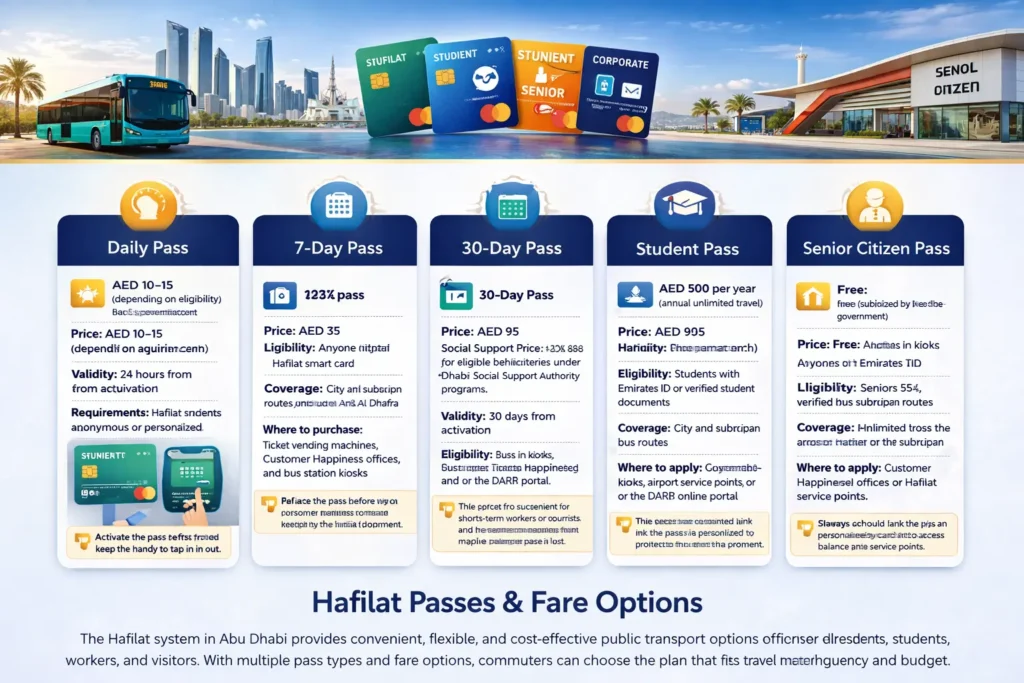
Daily Pass
The Daily Pass is ideal for tourists or short-term visitors who need unlimited travel within a single day. It allows passengers to use city buses, suburban routes, and selected intercity services without paying for individual rides.
- Price: AED 10–15 (depending on eligibility)
- Validity: 24 hours from activation
- Requirements: Hafilat smart card (anonymous or personalized)
- Where to buy: Ticket vending machines, Customer Happiness offices, and bus station kiosks
- Best for: Visitors or residents with occasional travel needs
Tip: Activate the pass before your first ride and keep the card handy to tap in and out.
7-Day Pass
For travelers staying in Abu Dhabi for a week or commuters with short-term high usage, the 7-Day Pass provides unlimited travel for seven consecutive days.
- Price: AED 35
- Eligibility: Anyone with a Hafilat smart card
- Coverage: City buses and suburban routes, including Al Ain and Al Dhafra
- Where to purchase: Bus station kiosks, Customer Happiness offices, and the official DARB portal
Tip: This pass is convenient for short-term workers or tourists who want hassle-free commuting without multiple single-trip fares.
30-Day Pass
The Monthly Pass is designed for frequent commuters such as office workers, students, and residents who travel daily. It provides unlimited rides across the Abu Dhabi public bus network for a full month.
- Price: AED 95
- Social Support Price: AED 80 for eligible beneficiaries under Abu Dhabi Social Support Authority programs
- Validity: 30 days from activation
- Eligibility: Must have a Hafilat smart card
- Where to buy: Kiosks, bus stations, airport service points, or the DARB online portal
Tip: Perfect for students or professionals commuting daily; ensure the card is personalized to protect your balance in case it’s lost.
Student Pass
The Student Pass is tailored for school and university students, offering discounted fares for daily travel. Students must provide a valid student ID to apply.
- Price: AED 500 per year (annual unlimited travel)
- Eligibility: Students with an Emirates ID or verified student documents
- Coverage: City and suburban bus routes
- Where to apply: Customer Happiness offices, bus station kiosks, or online through the DARB portal
Tip: Students should link the pass to a personalized card to protect their balance and simplify top-ups.
Senior Citizen Pass
The Senior Pass is available for elderly residents (55+) and provides reduced or fully subsidized fares to encourage mobility and independence. Certain companions may also be eligible.
- Price: Free (subsidized by Abu Dhabi government)
- Eligibility: Seniors 55+, verified with Emirates ID
- Coverage: Unlimited travel across city and suburban routes
- Where to apply: Customer Happiness offices or Hafilat service points
Tip: Always carry a valid ID when using a Senior Pass to access discounted travel and benefits.
How to Purchase & Use Hafilat Passes
Properly purchasing and using a Hafilat pass ensures seamless travel across Abu Dhabi’s bus network and prevents issues such as fare errors or rejected entries. Whether you are a resident, student, senior, or visitor, following the correct steps is essential for convenience and cost savings.
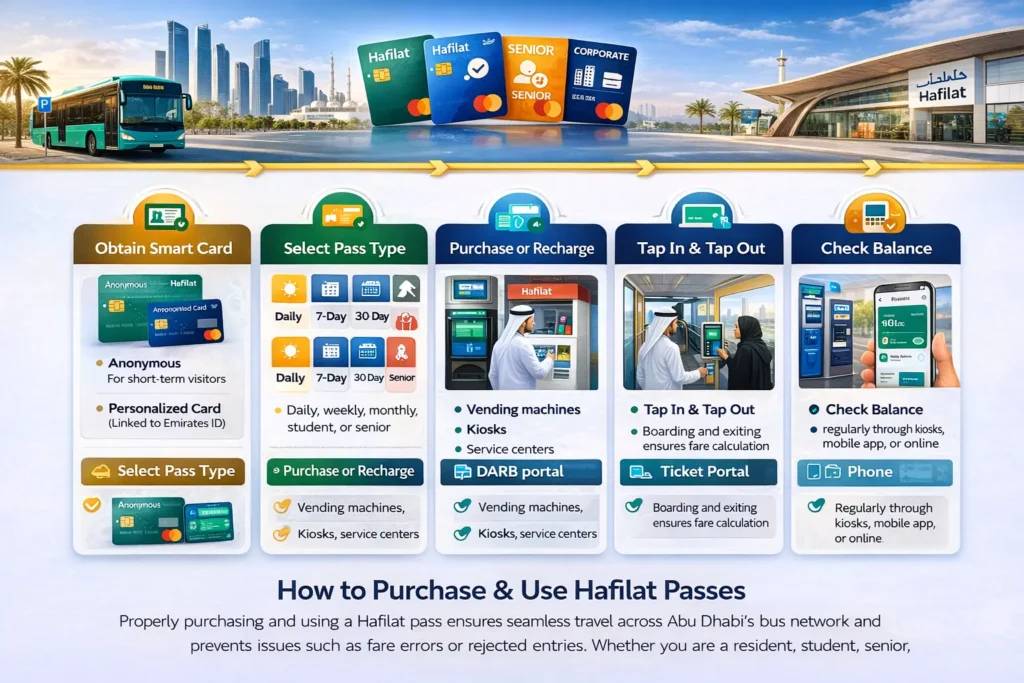
Steps to purchase and use your pass:
- Obtain a Hafilat Smart Card: choose between an anonymous card for short-term visitors or a personalized card for daily commuters with balance protection.
- Select a pass type that matches your travel needs: daily, weekly, monthly, student, or senior.
- Purchase or recharge your pass using ticket vending machines, kiosks, service centers, or the DARB online portal for easy access.
- Tap in and out when boarding and exiting buses; this ensures accurate fare calculation and records your journey correctly.
- Check balance and validity regularly through kiosks, the mobile app, or online to avoid travel interruptions.
Tip: Personalized cards linked to Emirates ID protect your balance if lost, while anonymous cards are ideal for tourists but cannot recover lost balance.
Benefits of Using Hafilat Passes
- Cost savings: Unlimited travel reduces per-trip expenses.
- Convenience: No need to pay for every ride separately.
- Flexibility: Options for daily, weekly, monthly, student, and senior travelers.
- Coverage: City and suburban routes, including Al Ain and Al Dhafra.
- Easy top-ups: Available online, at kiosks, or via mobile apps.
Bus Fare Payment System
Abu Dhabi’s bus fare payment system is designed to make travel fast, convenient, and cashless. Using a Hafilat smart card, fares are automatically calculated and deducted, ensuring smooth, contactless journeys for all passengers.
How fares are determined:
- Travel zones: The fare depends on the zones you travel through within the city or between regions.
- Distance covered: Longer journeys incur higher charges, while short trips are charged minimally.
- Passenger category: Special rates apply for students, seniors, and social support beneficiaries.
When you tap out, the correct fare is instantly deducted from your Hafilat card. Tapping in and out accurately ensures you are not charged the maximum fare.
Tip: Always check your remaining balance via kiosks, the DARB app, or online before boarding to avoid travel interruptions. This system makes the Hafilat card a reliable, contactless smart travel card for city and intercity buses.
Bus Routes & Maps
Planning your journey across Abu Dhabi’s public transport network is simple with the DARB platform. By accessing bus routes and maps, commuters can efficiently navigate the city and regional bus services.
What you can do:
- View all bus routes: Check city and intercity routes to determine the best path to your destination.
- Access route maps: Visual maps help identify stops, connections, and zones.
- Plan trips: Use the DARB’s portal or mobile app to calculate travel time, distance, and connections between buses.
- Real-time updates: Some maps provide live information on bus arrivals and departures.
Tip: Always check the map before your trip and confirm your bus stops in advance to ensure a smooth journey with your Hafilat card. Using route maps effectively can save time and avoid unnecessary transfers.
Bus Schedule & Timing
Knowing the bus schedule in Abu Dhabi is essential for planning trips, avoiding long waits, and ensuring smooth connections across city and intercity routes. The Hafilat system provides detailed timing information for all major routes, including weekday, weekend, and holiday adjustments.
How to check schedules:
- City bus timing: See departure times for routes within Abu Dhabi.
- Intercity bus timing: Plan travel to Al Ain, Al Dhafra, and other regional destinations.
- Bus frequency: Check intervals between buses to minimize waiting time.
- First and last bus: Ensure you catch the earliest or latest buses for your route.
- Weekend adjustments: Be aware of modified schedules on Fridays and public holidays.
Access: Updated schedules are available on the official DARB portal, mobile app, and at major bus stations.
Tip: Always check the latest timetable before traveling, especially on weekends or during special events, to avoid missing your ride and ensure efficient use of your Hafilat card.
How to Check Hafilat Card Expiry Date
Regularly checking your Hafilat card expiry date ensures uninterrupted travel across Abu Dhabi’s public transport network. Expired cards may prevent boarding buses, so it’s important to verify validity in advance.
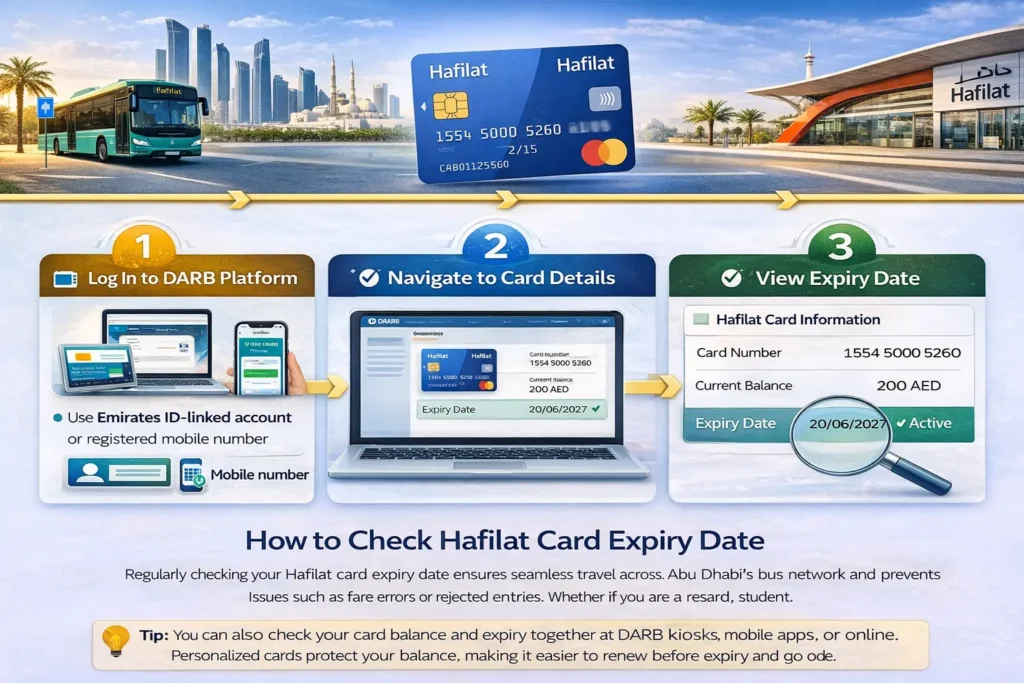
Steps to check expiry:
- Log in to the DARB platform using your Emirates ID-linked account or registered mobile number.
- Navigate to card details to see your Hafilat card information.
- View the validity period to confirm the expiry date and ensure your card is active.
Tip: You can also check your card balance and expiry together at DARB kiosks, mobile apps, or online. Personalized cards protect your balance, making it easier to renew before expiry. Always verify expiry dates regularly to avoid travel disruptions.
How to Renew Your Hafilat Card
If your Hafilat card has expired, renewing it promptly ensures uninterrupted travel across Abu Dhabi’s public transport network. Renewal options are available both offline and online, depending on card type and your convenience.
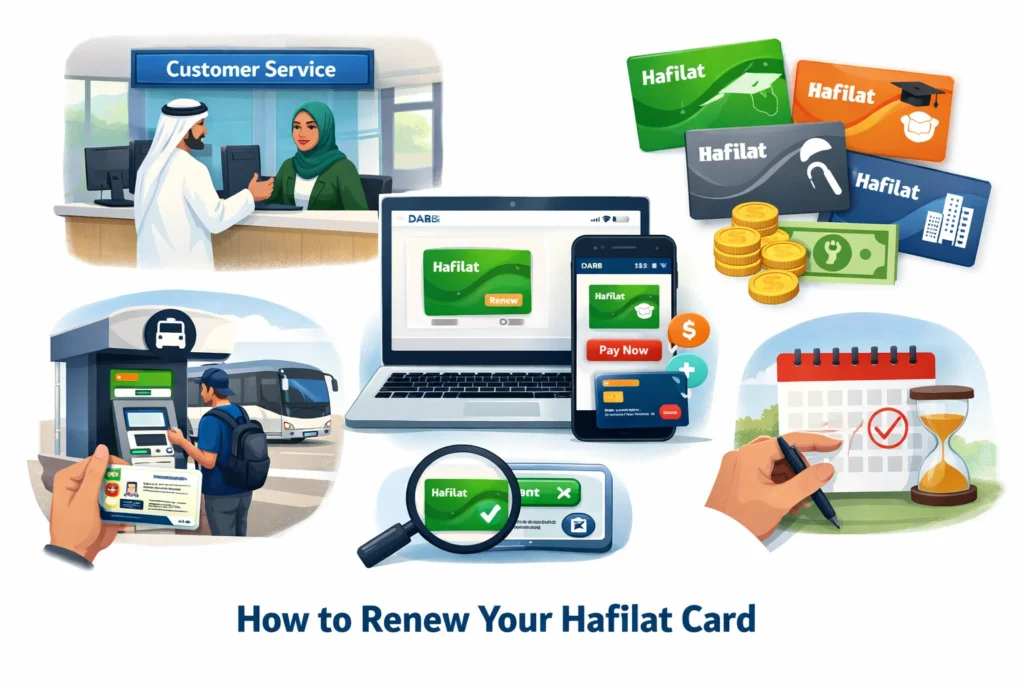
Renewal steps:
- Visit a Customer Service Center or bus station kiosk: Bring your Hafilat card (personalized or anonymous) and any required ID. Staff will assist with verification and renewal.
- Renew through the online DARB portal or mobile app (if available): Login to your account, select the card to renew, and pay any applicable fee.
Fees: Renewal may involve a replacement card fee or standard renewal charge, which varies by card type, standard, student, senior, or corporate.
Tip: Always check your card balance and validity after renewal to confirm it is active. Renew before expiry to avoid travel interruptions and ensure your Hafilat card remains linked to your Emirates ID for balance protection.
How to Renew an Expired Hafilat Card
If your Hafilat card has already expired, renewing it promptly is essential to avoid disruptions in Abu Dhabi public transport. Expired cards cannot be used for boarding city or intercity buses.
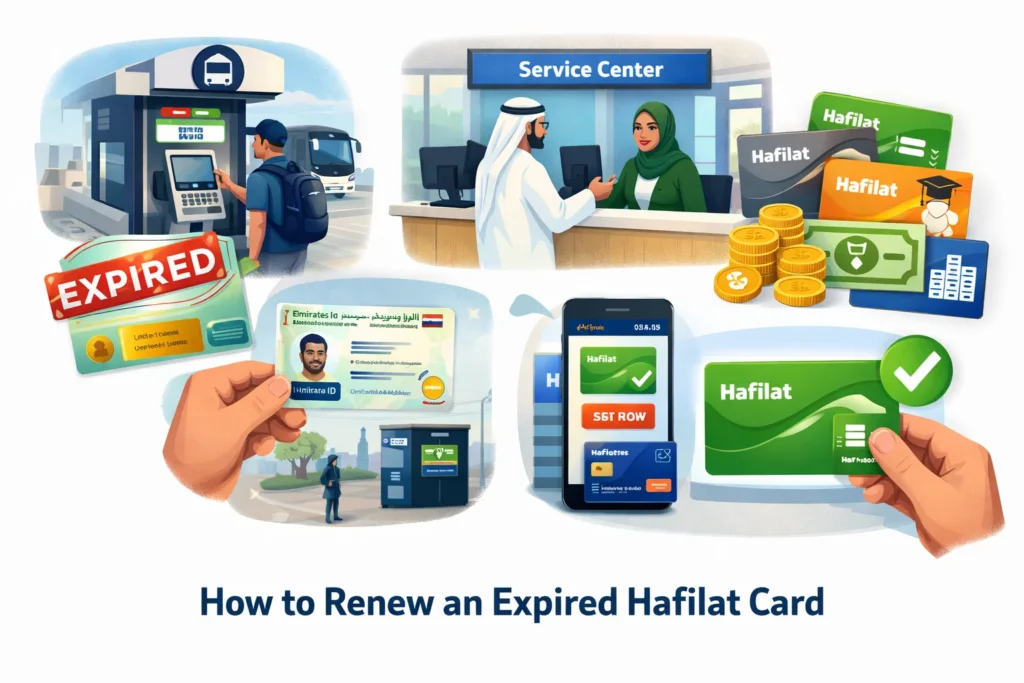
Steps to renew an expired card:
- Visit an authorized Hafilat service center or major bus station kiosk.
- Bring your Emirates ID for verification, especially for personalized cards.
- Pay the required fee, which may vary depending on card type (standard, student, senior, or corporate).
- Receive your updated card and confirm that it is active.
Tip: Always renew before the expiry date to protect your balance, ensure smooth travel, and keep your personalized card linked to your Emirates ID for added security. You can also check your card validity and balance immediately after renewal via kiosks or the DARB mobile app.
Hafilat Fine Check
Abu Dhabi’s Hafilat card system enforces travel rules to ensure fairness and safety on public buses. Fines may be applied if passengers do not comply with regulations, so it’s important to check and settle fines promptly to avoid interruptions in bus service.
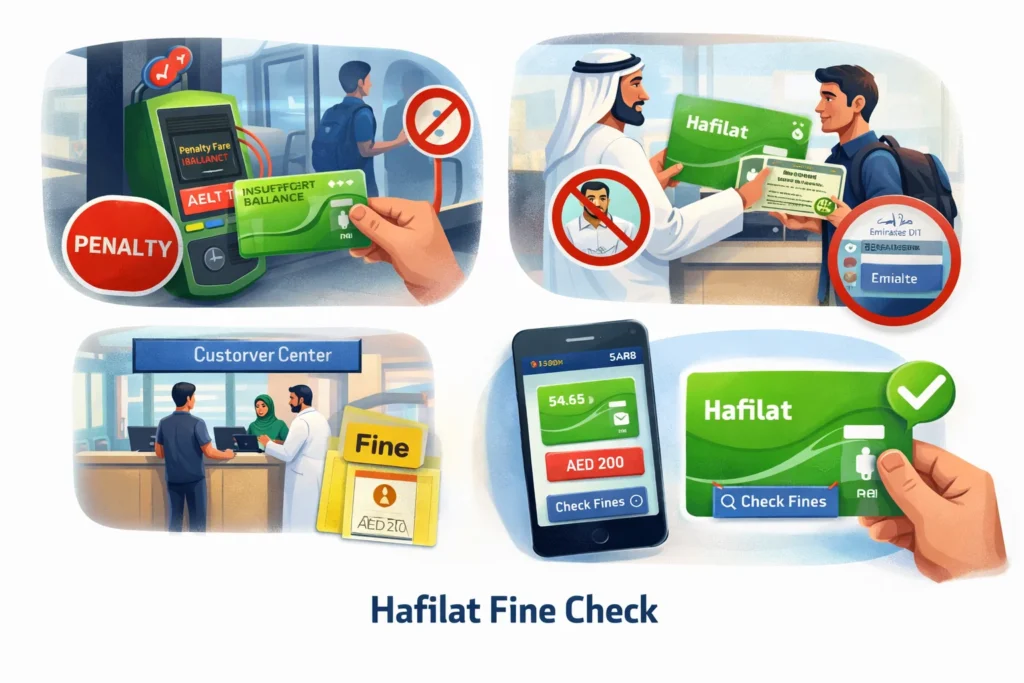
Common violations that may incur fines:
- Failure to tap out: Not tapping your card when exiting a bus may result in the maximum fare being charged.
- Misuse of a personalized card: Sharing a card linked to your Emirates ID or using someone else’s card is prohibited.
- Violating bus travel rules: This includes boarding without sufficient balance, traveling in restricted areas, or other misuse.
How to check fines:
- Use the DARB portal or mobile app under the balance or fine check section.
- Visit Customer Service Centers or ticket kiosks to inquire about penalties.
Tip: Regularly monitoring your fines ensures uninterrupted travel and helps you stay compliant with Abu Dhabi public transport policies.
How to Pay Hafilat Fines Online
Paying Hafilat fines online is a convenient way to settle penalties quickly, avoid service interruptions, and ensure your Abu Dhabi bus card remains active. The official DARB portal allows secure online payment for fines associated with missed taps, card misuse, or other travel violations.
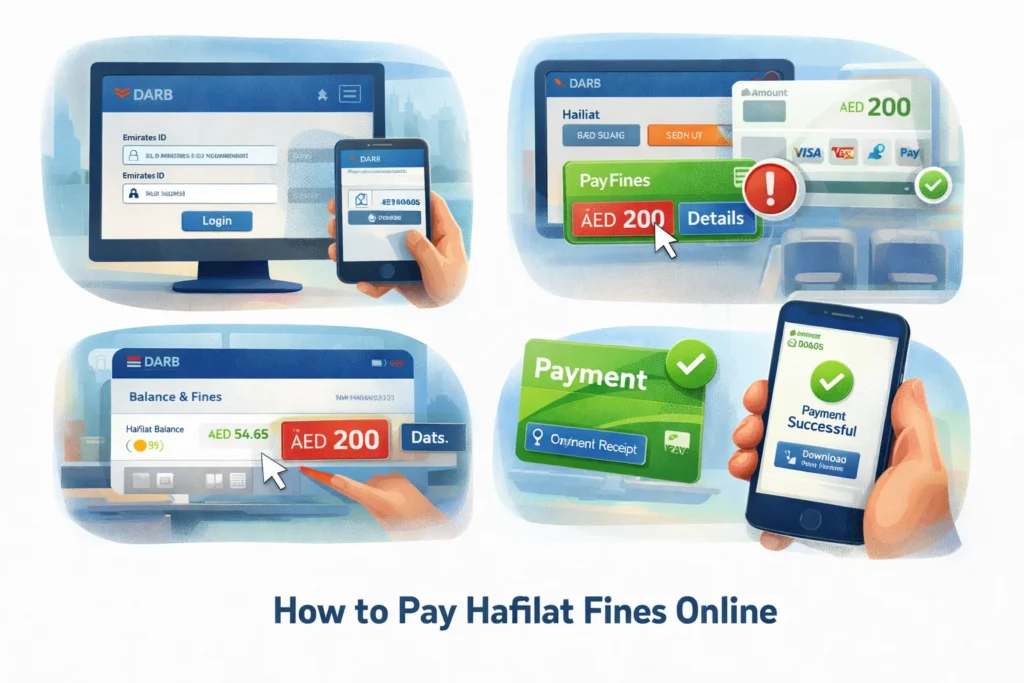
Steps to pay fines online:
- Log in to the DARB portal using your Emirates ID-linked account or registered mobile number.
- Check fines under the “Balance & Fines” or “Card Details” section to see outstanding penalties.
- Pay fines using a valid debit or credit card. The portal supports multiple secure payment options.
- Receive confirmation for your payment, which updates your card status immediately.
Tip: Always keep a screenshot or receipt of your payment. Settling fines promptly ensures your Hafilat card remains active for uninterrupted bus travel.
Where to Pay Hafilat Fines Offline
If you prefer to pay Hafilat fines offline, Abu Dhabi offers multiple official locations for safe, secure payments. Paying in person can be convenient for those who do not have access to online banking or prefer direct assistance.
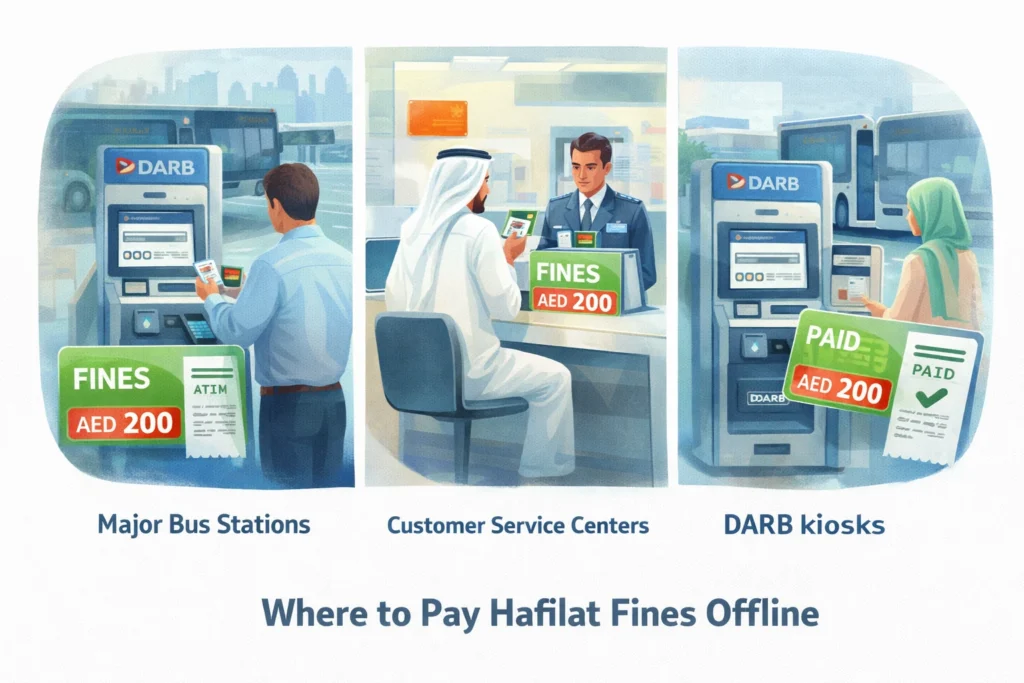
Steps and locations:
- Visit major bus stations across Abu Dhabi where Hafilat services are available.
- Go to Customer Service Centers or authorized DARB kiosks under the Abu Dhabi government transport system.
- Bring your Hafilat card and Emirates ID for verification.
- Pay fines in cash or card, depending on the service center.
- Receive a confirmation receipt to ensure your fines have been settled and your card is active.
Tip: Check your outstanding fines on the DARB portal or mobile app before visiting to know the exact amount to pay.
Hafilat & Abu Dhabi Smart Mobility Services
The Hafilat card is more than just a bus fare card; it is a key part of Abu Dhabi’s smart mobility ecosystem, designed to simplify travel, improve efficiency, and integrate multiple transport services across the emirate.
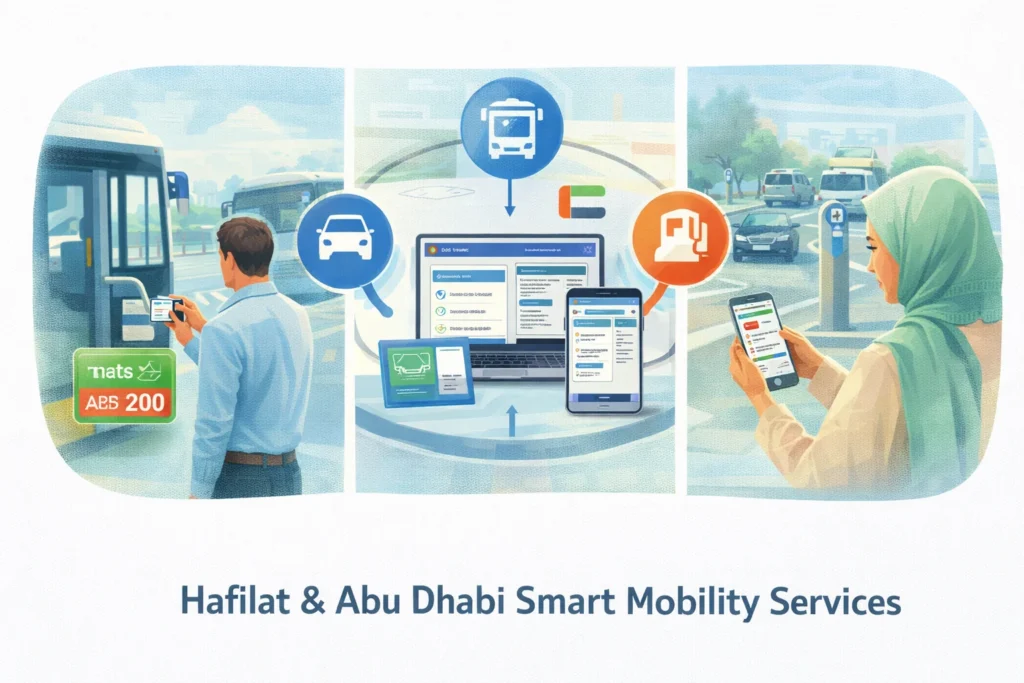
Through the DARB platform, the Hafilat card connects with a variety of services, including:
- Bus services: City, intercity, and regional bus routes.
- Parking and toll services: Pay parking fees and tolls conveniently with a linked smart account.
- Transport service portal Abu Dhabi: Access card balance, manage recharges, and view travel history.
- Online transport services: Check bus schedules, plan trips, and top up Hafilat cards via the official mobile app or portal.
Benefits for users:
- Manage all public transport needs in one platform.
- Contactless travel with real-time fare calculation.
- Easy access for residents and tourists alike, enhancing convenience and safety.
This integration ensures that Abu Dhabi residents can enjoy seamless travel, avoid delays, and efficiently manage their Hafilat card and transport services from a single, unified system.
Integration with DARB
The DARB platform serves as the digital backbone of Abu Dhabi’s public transport system, centralizing all Hafilat card services and ensuring secure, efficient management. By integrating with DARB, users can conveniently perform a range of actions on one platform.
Key features include:
- Check Hafilat card balance online: View real-time balance and transaction history.
- Recharge Hafilat card online: Add funds instantly using debit/credit cards or digital wallets.
- Monitor card balance status: Track spending and prevent insufficient balance issues.
- View bus routes map: Plan trips across city, intercity, and suburban routes.
- Access parking and toll services: Pay fees and manage transportation-related expenses from the same account.
Benefits: Centralized management, secure transactions, real-time updates, and easier trip planning.
Tip: Always log in to the DARB portal before traveling to ensure your Hafilat card is active and topped up, which helps avoid delays or fines.
Integrated Transport Services
The Hafilat card is a key component of Abu Dhabi’s integrated transport system, managed by the transport authority of Abu Dhabi. The goal is simple: one smart travel card that works seamlessly across the entire public bus network, providing convenience and efficiency for daily commuters and occasional travelers alike.
With this integration, your Abu Dhabi public transport card can be used on:
- City buses in Abu Dhabi: Travel within the city without purchasing separate tickets.
- Intercity buses from Abu Dhabi: Cover regional routes such as Al Ain and Al Dhafra with the same card.
- Major public bus routes and hubs: Access key bus stations, transport interchanges, and central routes efficiently.
Benefits:
- A seamless travel experience with one card for multiple transport services.
- Reduced wait times and simplified fare payment.
- Easier balance management and online recharge options through the DARB portal.
This integration ensures that residents and visitors can enjoy smooth, contactless, and unified bus travel across Abu Dhabi.
Contactless Travel System
Abu Dhabi’s Hafilat card system supports contactless travel technology, designed to make bus commuting faster, safer, and more convenient. Using a smart card reduces waiting times, speeds up boarding, and minimizes physical contact, a crucial feature for busy city and intercity routes.
How it works:
- Tap when boarding: Place your Hafilat card on the reader at the front door.
- Tap when exiting: The system automatically calculates the fare based on distance traveled and passenger category.
- Automatic fare deduction: The correct amount is instantly subtracted from your smart card balance, preventing errors and ensuring accurate billing.
Benefits:
- Faster and smoother boarding for all passengers
- Reduced risk of lost or stolen cash
- Full integration with the Abu Dhabi smart mobility system, including DARB portal services
Tip: Always ensure your card has sufficient balance before boarding, and remember to tap out to avoid being charged the maximum fare.
Online Transport Services Abu Dhabi
Abu Dhabi’s online transport portal offers a convenient, secure way to manage your Hafilat card and other public transport services from anywhere. The platform is part of the emirate’s digital mobility ecosystem, designed to make commuting easier, faster, and more reliable.
Key online features include:
- Hafilat card recharge: Add balance instantly using debit or credit cards.
- DARB balance check: View real-time balance and transaction history.
- DARB account management: Update personal details, view travel history, and manage multiple cards.
- Online top-up for Abu Dhabi bus cards: Avoid long queues at kiosks or service centers.
Benefits:
- Quick and secure payments
- Seamless integration with the broader smart mobility system
- Easy monitoring of card validity and balance
Tip: Always ensure you use the official DARB portal or mobile app for transactions to protect your data and ensure successful recharges.
Troubleshooting & Common Hafilat Issues
Even a well-designed system can encounter occasional issues. Knowing how to resolve common Hafilat card problems ensures uninterrupted travel across Abu Dhabi’s public transport network. Below are frequent issues and practical solutions.
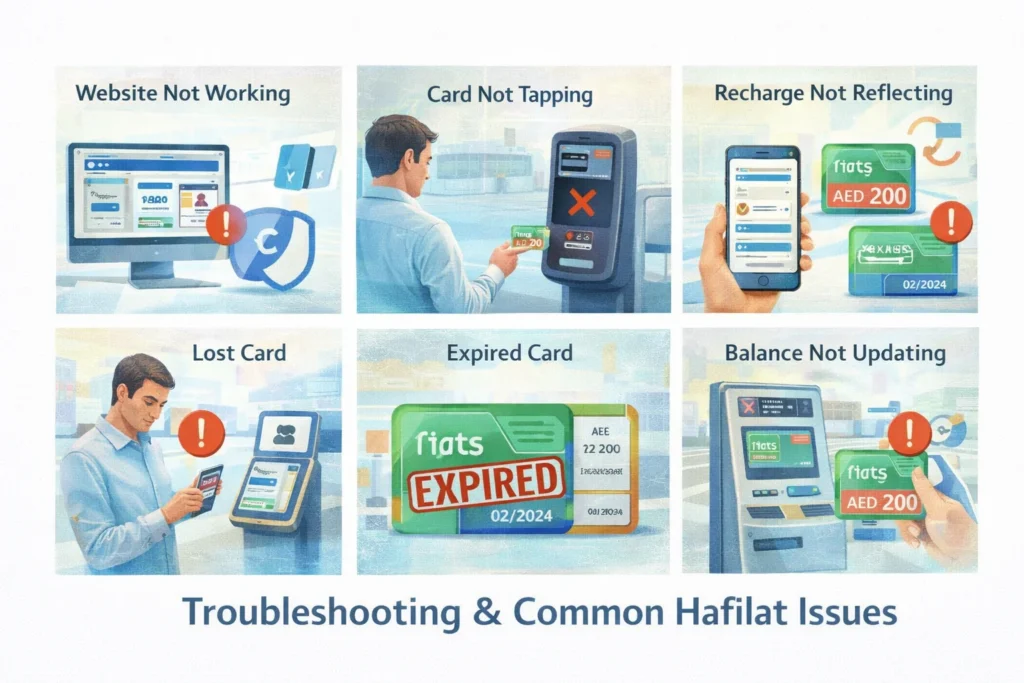
Website Not Working
If the Abu Dhabi transport portal or DARB site is slow or unavailable:
- Try the DARB mobile app
- Clear your browser cache
- Check your internet connection
Often, these issues are temporary and resolve within minutes.
Card Not Tapping
If your Hafilat smart card fails to tap on the reader:
- Clean the chip area and try again
- Use another bus reader if available
- Visit a service center for inspection if the problem persists
Recharge Not Reflecting
Sometimes, after an online Hafilat recharge, the balance does not update immediately:
- Tap your card on a bus reader
- Check balance via the DARB portal
- Confirm the recharge receipt
Lost Card
For personalized Hafilat cards:
- Log in to DARB immediately and report the loss
- Visit a service center and pay the replacement fee
- The remaining balance can usually be transferred
Note: Anonymous cards cannot recover lost balance.
Expired Card
If your card expires:
- Visit an authorized service center to renew and pay the required fee
- Top up online after renewal
- Always renew before expiry to avoid service interruption
Balance Not Updating
If your balance appears incorrect:
- Check card balance via the DARB portal or the ticket machine
- Confirm recent transactions
- Maintain the minimum required credit before travel
Tip: Regularly syncing your card with readers and monitoring your balance prevents unexpected travel issues.
Hafilat Balance Check & Recharge FAQs
This section answers the most common questions about Hafilat card usage, balance, recharge, expiry, and fines. It helps residents and visitors navigate Abu Dhabi’s public transport system efficiently.
How to check balance online?
Visit the Abu Dhabi transport portal, complete DARB login, and enter your card number.
What is the minimum balance required?
Maintain the minimum credit before boarding. The exact amount may vary depending on your bus route.
How to recharge Hafilat card online?
Login to the DARB portal, select recharge, enter the desired amount, and pay using a debit or credit card.
How to recharge offline?
Recharge at bus station kiosks, customer service centers, or ticket vending machines.
How to use Hafilat card on buses?
Tap when entering and exiting. The bus fare system automatically deducts the correct fare.
What happens if you forget to tap out?
The system may charge the maximum fare, so always remember to tap out.
How to check expiry?
View card details via the DARB portal or mobile app.
How to renew expired cards?
Visit a service center or use online renewal if available.
How to check Hafilat fines?
Check fines via DARB portal or at service kiosks.
How to pay fines online?
Login to DARB, select fine payment, and pay digitally using your debit or credit card.
Video Guide on How to Recharge Hafilat Bus Card Online & Check Balance 2026
Final Thoughts – Managing Your Hafilat Card Efficiently
Proper use of the Hafilat smart card makes commuting across Abu Dhabi city and intercity buses seamless and reliable. Regular Hafilat balance checks and timely online recharge prevent travel interruptions. Understanding minimum balance requirements, expiry dates, and recharge limits ensures you are always prepared.
Key tips for efficient card management:
- Choose the right card type (anonymous, personalized, student, senior, corporate) based on your travel needs.
- Use contactless tap-in/tap-out for accurate fare calculation.
- Monitor fines and settle them promptly via the DARB portal or authorized service centers.
- Renew expired cards before they lapse to protect your balance.
- Take advantage of online services for balance checks, top-ups, and pass purchases.
The Hafilat system is part of Abu Dhabi’s smart mobility ecosystem, connecting residents with integrated public transport solutions. Keep your card active, balance updated, and always use official digital tools to travel confidently across the emirate.